How to create a prototype: 8 examples for product managers
A practical guide to software prototyping: The different kinds of prototyping, when to use each, and how to build one with AI
Last updated: August 2026
Product teams use software prototyping to explore, validate, and test ideas for new experiences before committing to development. Product prototyping can start early — while you are still deciding what a feature should do — and continue as you figure out the design and technical details. This guide covers different kinds of prototypes by fidelity and purpose, who should create them, and how to use prototypes throughout product development.
"Let's mock it up real quick." "Can you make this a clickable flow?" "We need a demo version to show customers." Product teams often use various shorthand to talk about visualizing ideas. These requests sound different, but they are really pointing to the same need: a prototype.
Software prototypes have always been essential to exploring and testing new product ideas. And AI prototyping tools now make it simple for anyone to create them quickly. That opens up prototyping to more people on the product team and creates a lot more ways to use it.
This guide covers software prototyping from that perspective: what you are trying to figure out, what to create, who should be involved, and how to bring what you learn back into the product plan. Keep reading or skip ahead here:
How do you turn a product requirement into a working prototype?
How do you connect what you learn from a prototype back to your roadmap?
What is software prototyping?
Software prototyping is the practice of creating and testing representations of a product before committing to development. Teams use prototypes to answer questions about a proposed product or experience.
What is a software prototype?
A software prototype is a visual, interactive representation of a digital product feature or experience. It shows how the new functionality will look and behave — helping product teams explore options, validate the direction, and iterate toward a version that you will release for customers.
Even though people often use the terms interchangeably, interactivity differentiates prototypes from other design artifacts (like sketches, mockups, and wireframes).
Mockups and wireframes are usually static. There is some overlap, though. For example, a clickable wireframe on a whiteboard can function as an early prototype if you use it to walk through flows and gather feedback.
You might also hear the term rapid prototyping. This usually refers to physical products that are produced quickly via 3D printing or other additive manufacturing methods. The process is different from creating software prototypes, but the goal is similar: create something tangible as quickly as possible to test ideas and inform the final product.
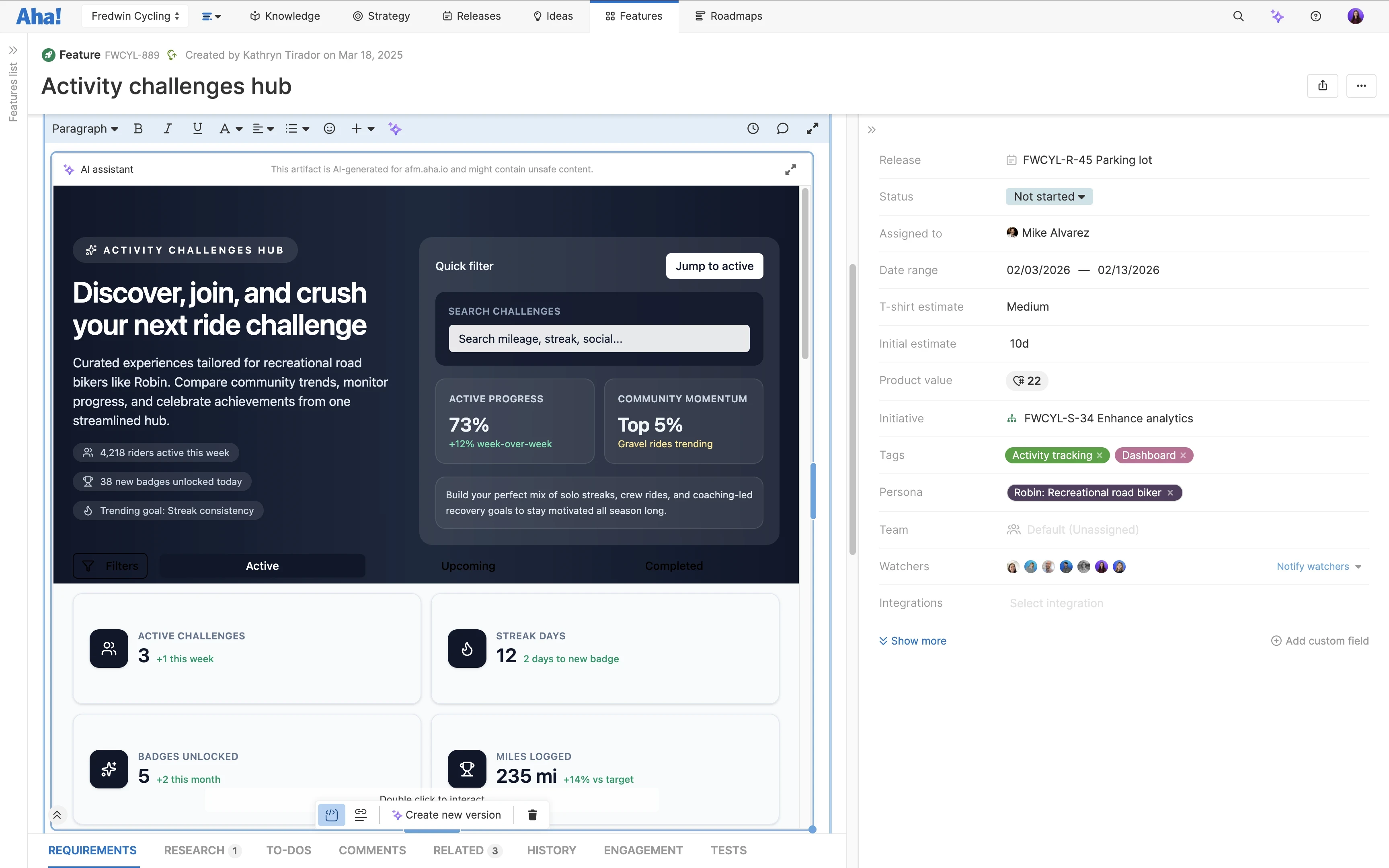
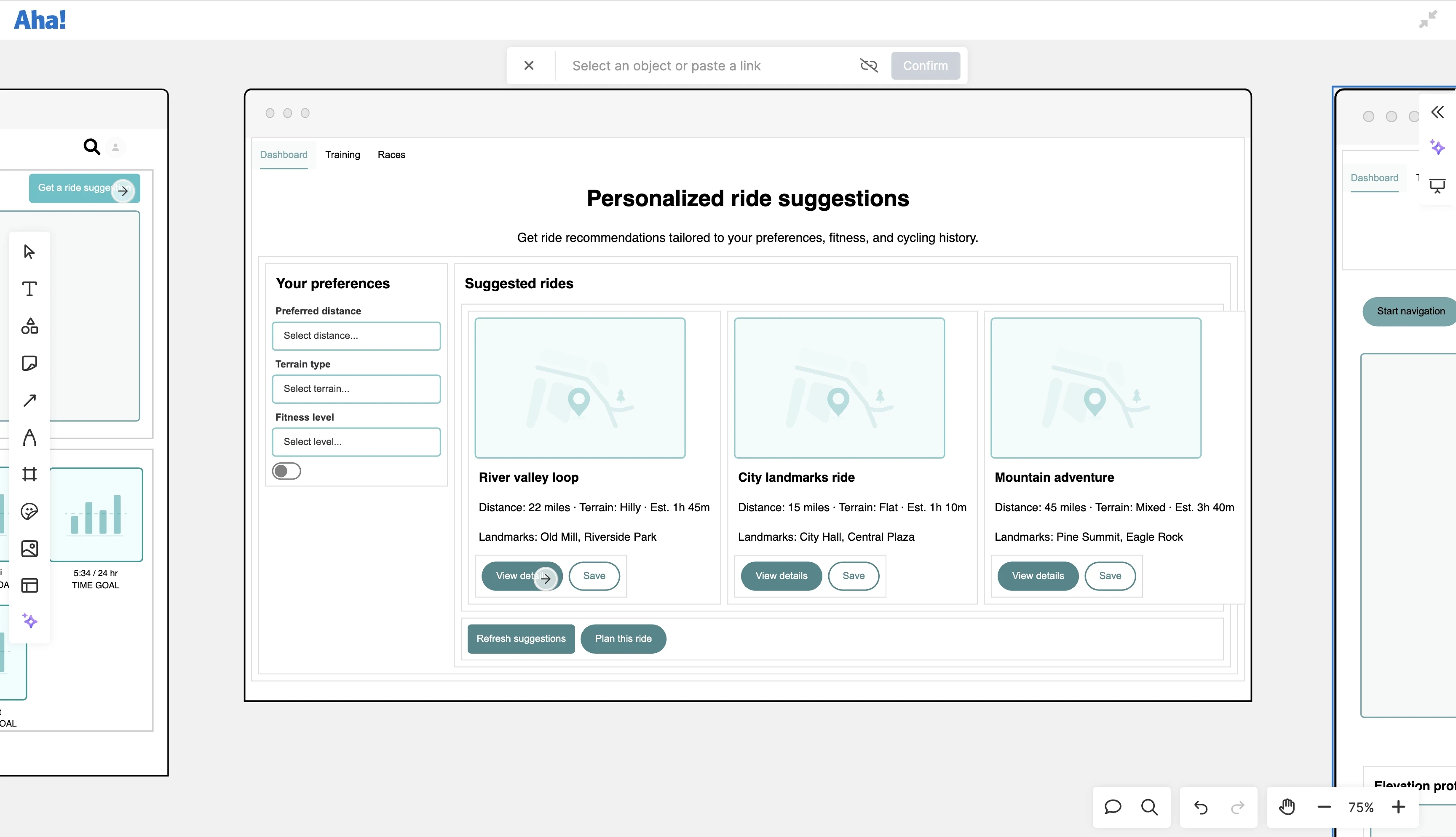
An example of a software prototype created in Aha! Roadmaps that is ready for quick feedback
Related:
Why should product teams prototype before building?
A prototype gives you something that a written requirement cannot: a chance to try the experience before anyone builds it.
Maybe the new workflow sounded simple when you described it in a feature. Once you can click through it, you notice that an important action is buried. Or you show it to a customer, and they head in a direction you did not anticipate. Even a rough prototype can surface questions that are hard to see when the idea exists mostly in words.
For product managers, that is the value of product prototyping early in the process. You can try a few approaches, get reactions from customers and teammates, and make changes while you are still deciding how the feature should work.
You might not need a prototype for every feature. But when you are still deciding how something should function, it is much easier to change the prototype than the code base.
Kinds of software prototypes
For product teams, the best way to categorize software prototypes is by fidelity and purpose.
Fidelity: How close it is to the real product experience
Purpose: Which questions it helps you answer
Think of these dimensions as a matrix. You might create prototypes at different fidelity levels for the same purpose or use a similar style of low-fidelity prototype to investigate several questions. This framing is more practical than specific terminology because it keeps your team aligned on effort and intent for each prototype.
You will also need to keep in mind who your prototype is for — your core product team, cross-functional stakeholders and leadership, or end users. Different kinds of prototypes suit certain audiences, although some can work across groups. Your audience will influence the fidelity you choose and the prototyping tools you use.
Now, let's break things down.
Software prototypes by fidelity
Fidelity level | What it is | How to use it |
Low-fidelity prototype | Rough, lightweight representation — captures structure and flow, but not visual detail | Explore and validate early concepts, compare options, and communicate ideas before investing in design. You can create lo-fi prototypes on whiteboards in Aha! software. |
Mid-fidelity prototype | Structured but unrefined design with some UI/UX elements and limited styling | Run usability tests and gather feedback on layout, navigation, and key interactions before committing to high-fidelity design or development. You can generate and embed mid-fi prototypes in Aha! software. |
High-fidelity prototype | Robust and fully interactive — closely matches the final product's design and functionality | Secure stakeholder buy-in, demo for users, and refine toward a Minimum Lovable Product for launch. (Or in some cases, create a database-backed prototype for direct use by customers.) You can build high-fi prototypes and business applications in Aha! software. |