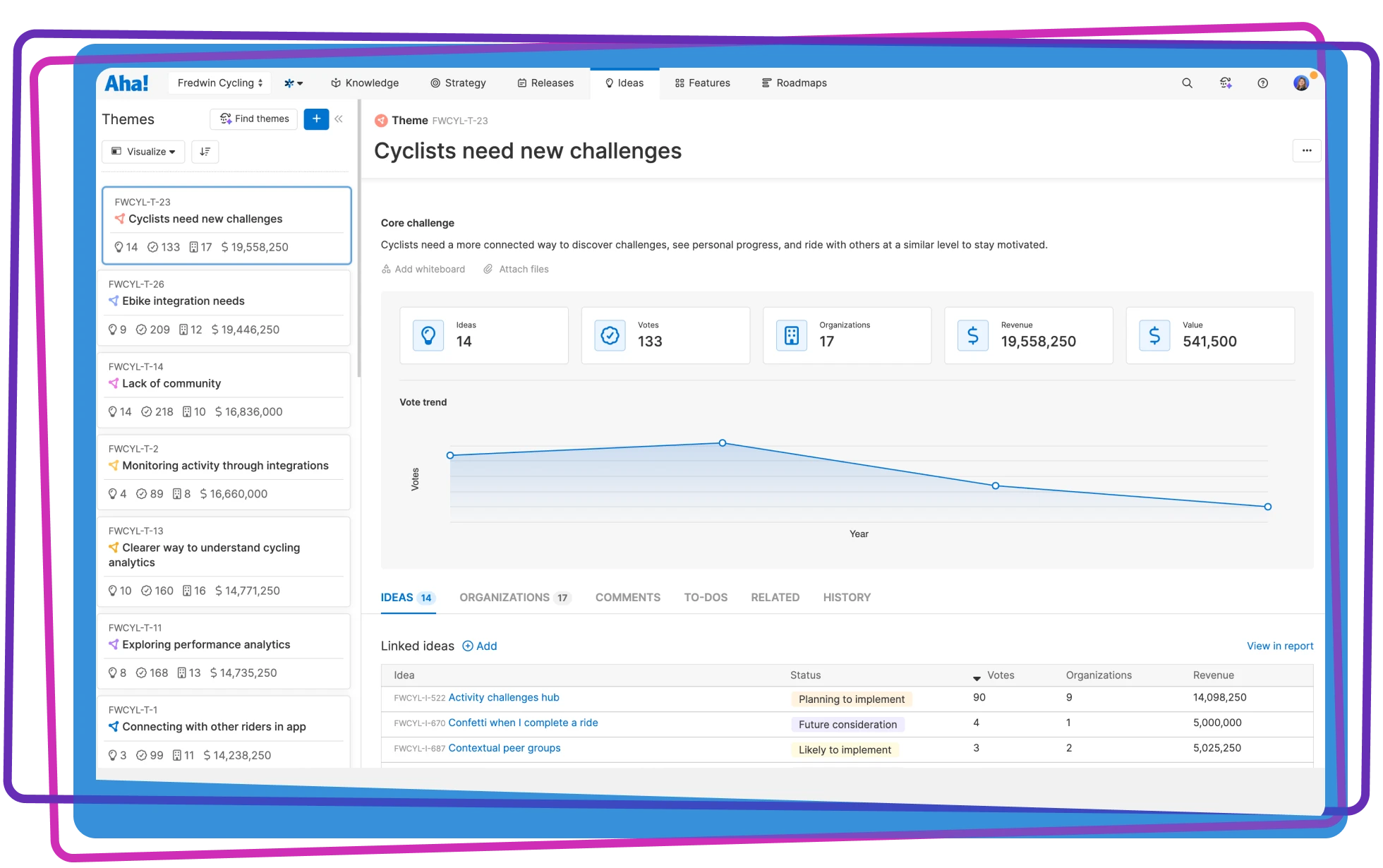

Understand the impact of feedback themes
Explore themes with AI, compare demand, and track voting trends to inform product priorities
Explore themes with AI, compare demand, and track voting trends to inform product priorities

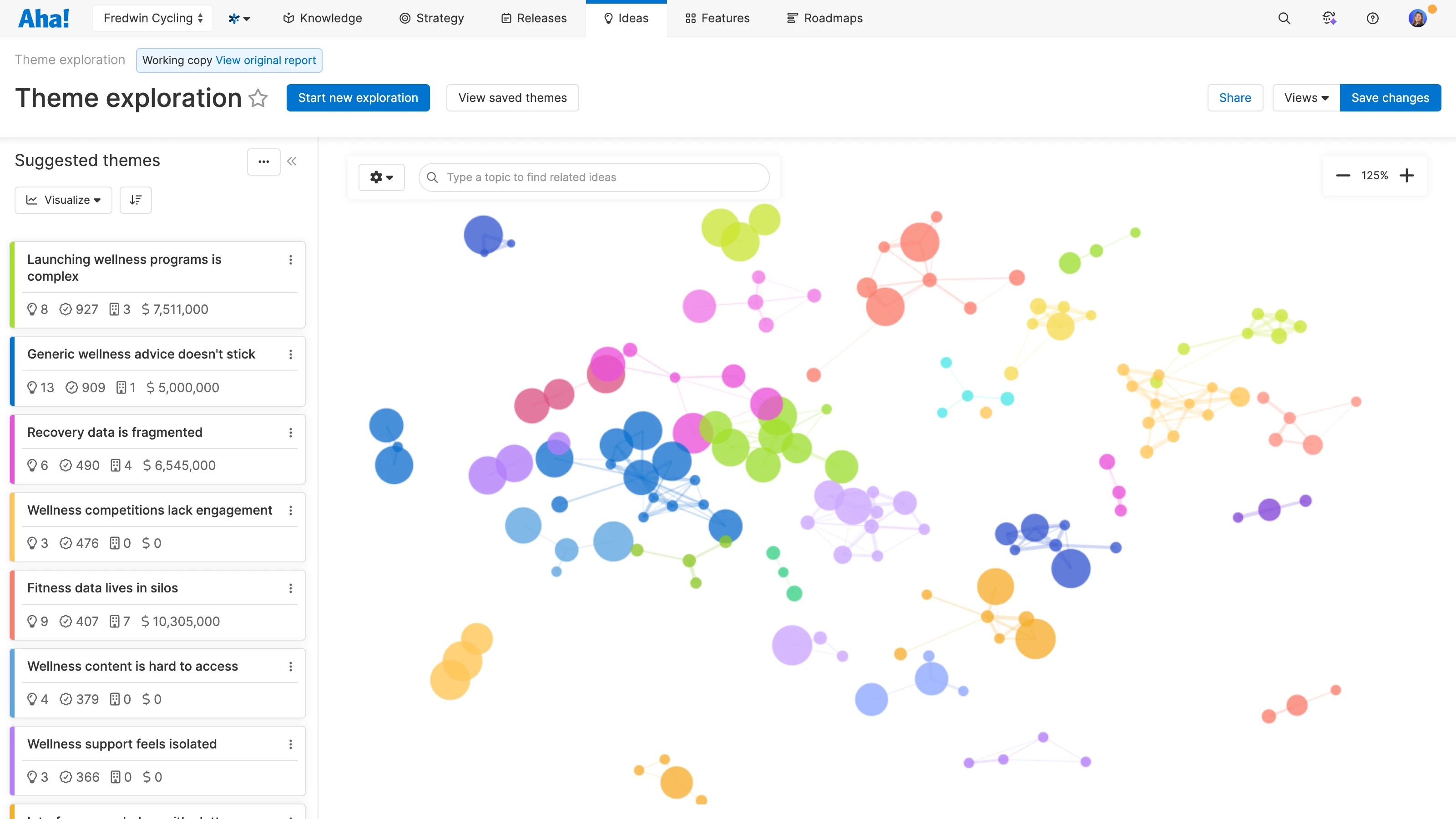
Use themes to describe problems or opportunities to improve your product. Ask Elle the AI assistant to uncover potential themes and save the most pertinent ones — or add your own. Map themes to initiatives and features in Aha! Roadmaps to keep them top of mind as you make decisions.
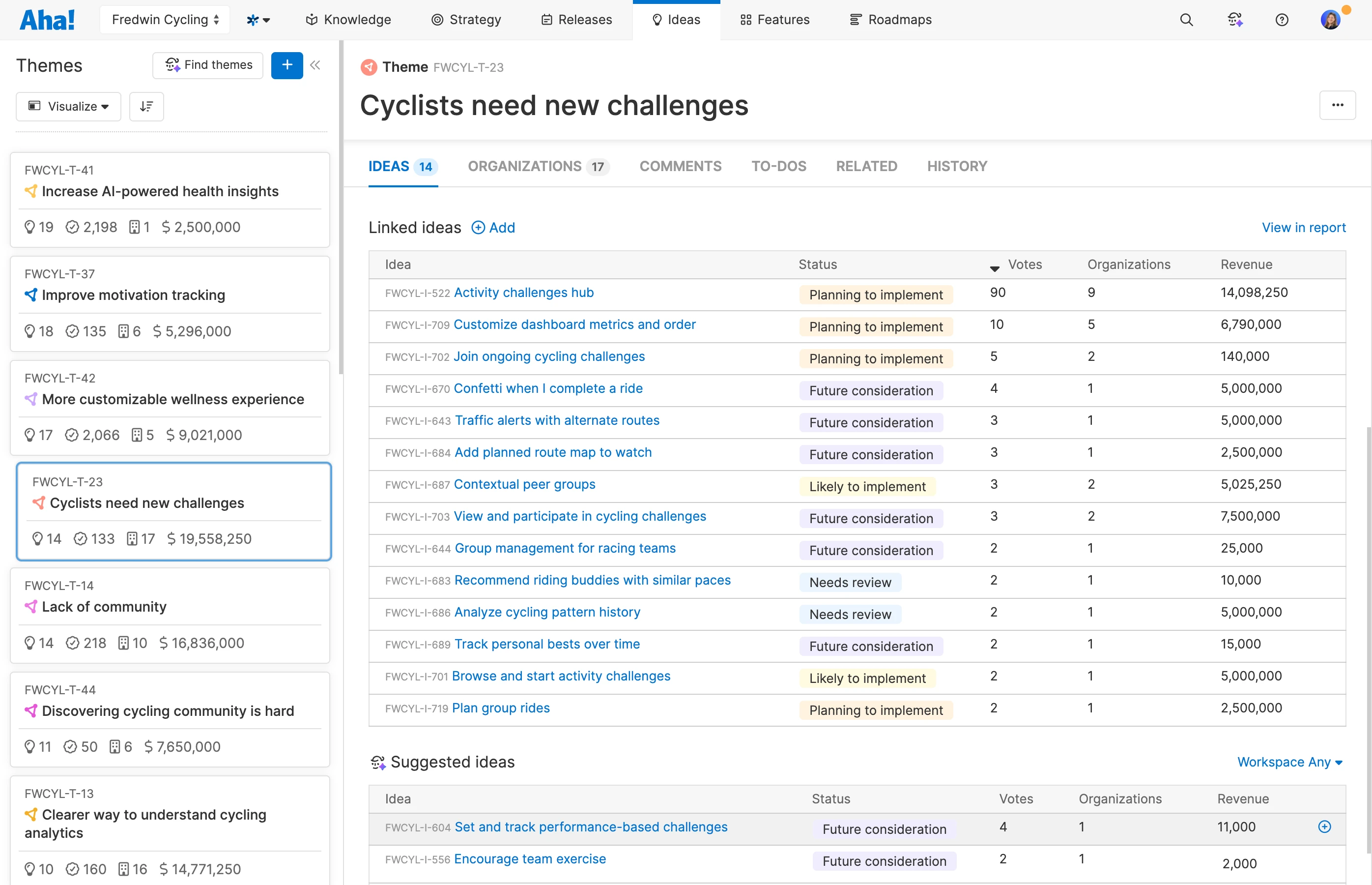
Build a clear picture of each customer need by linking related ideas to a theme. Run a quick search, or use AI to generate a list of matching ideas based on names and descriptions. (You can also add ideas in bulk from a list report.) Assign new ideas to a theme as part of your review process to keep everything organized.
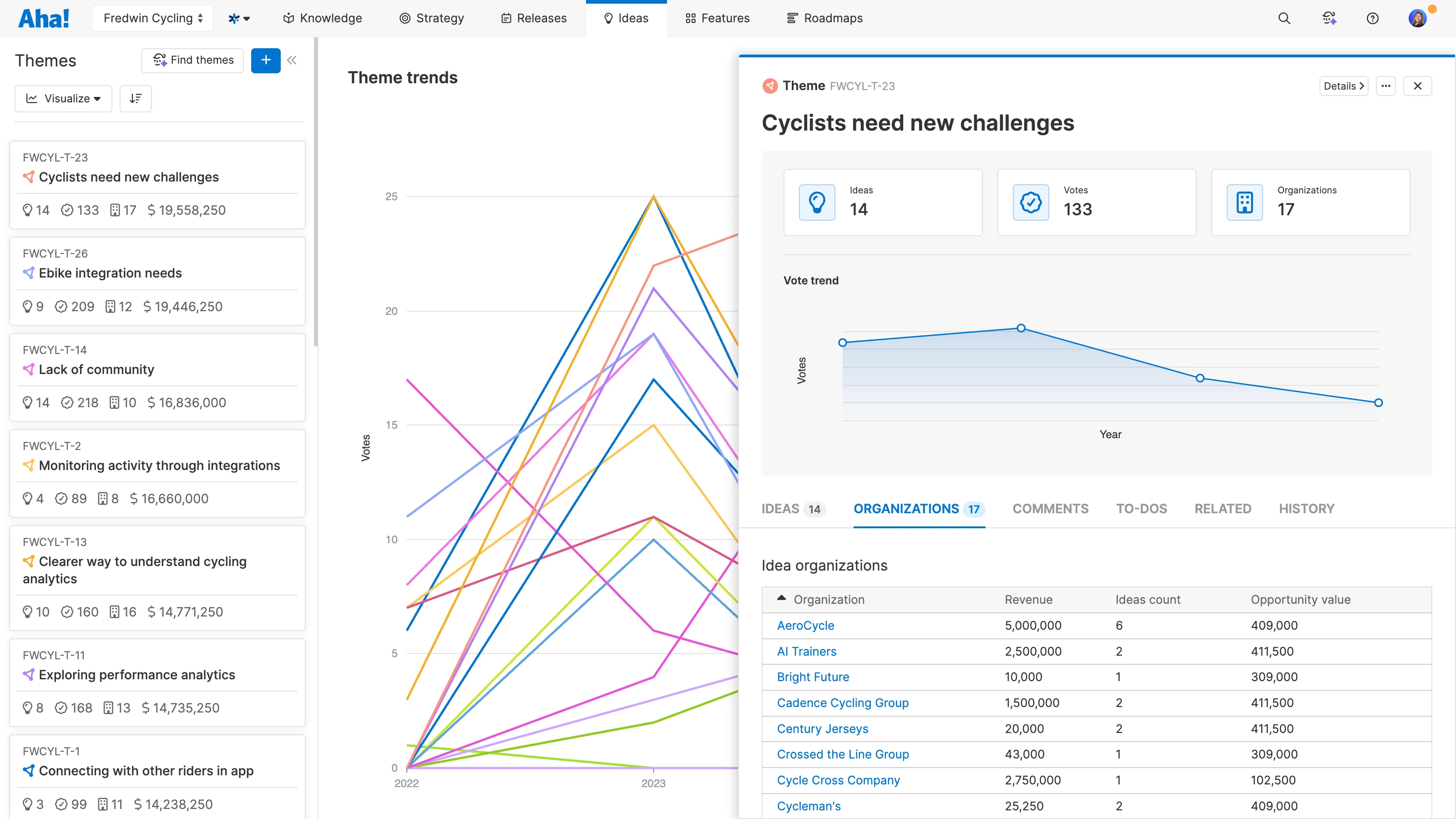
See which themes have the strongest support and business relevance. Compare total votes, unique organizations, and revenue from Salesforce. Sort themes by your metric of choice, then open a theme to examine the ideas and customers behind it. Use these insights to identify the right people to talk with as product discovery gets underway.
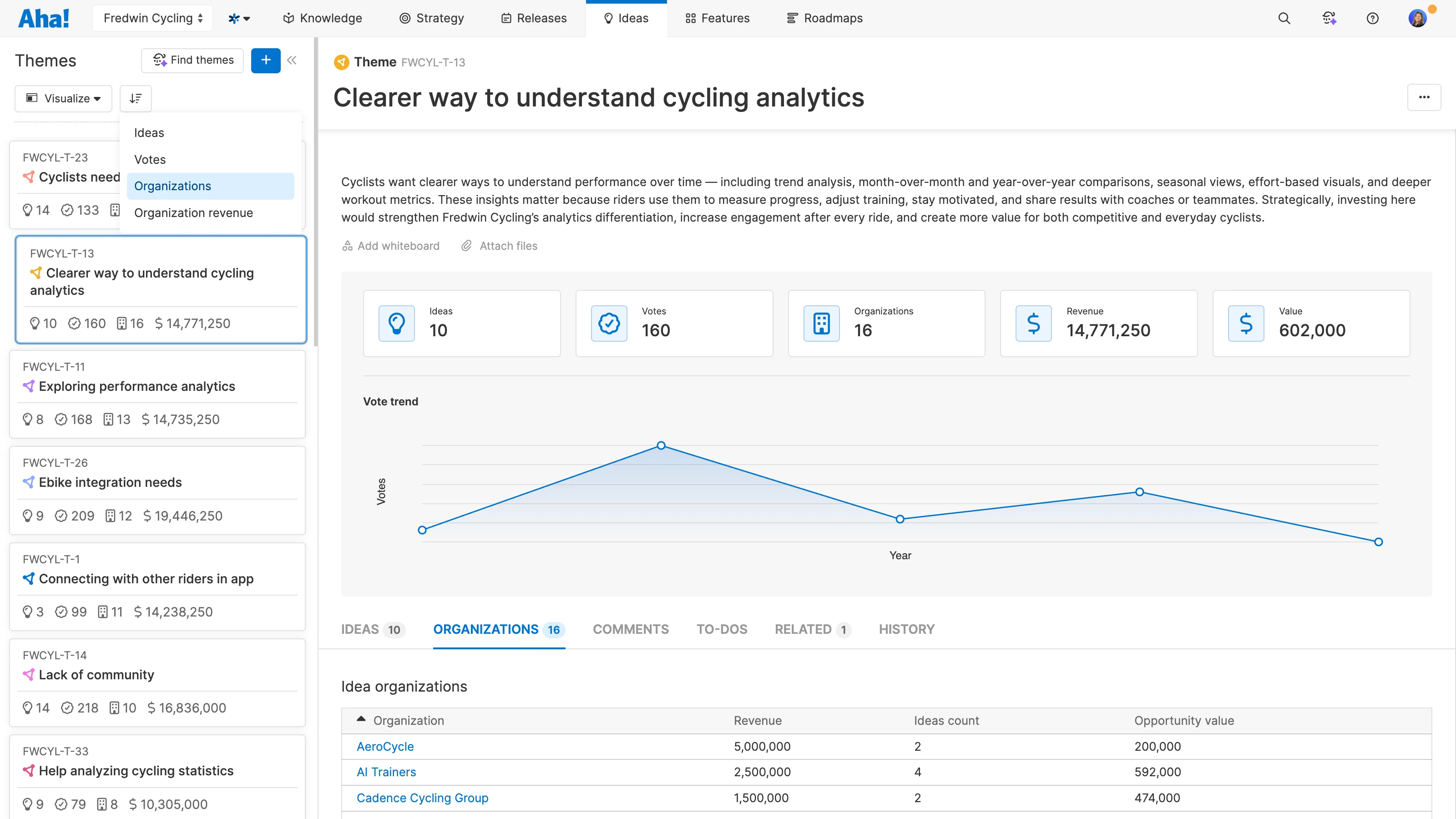
Understand how customer interest changes over time. Switch to the trends view to compare voting activity across themes, or open an individual theme to explore its voting history. Each theme's history reflects votes across its linked ideas. Use this evidence to revisit an earlier request or investigate a need attracting more attention.
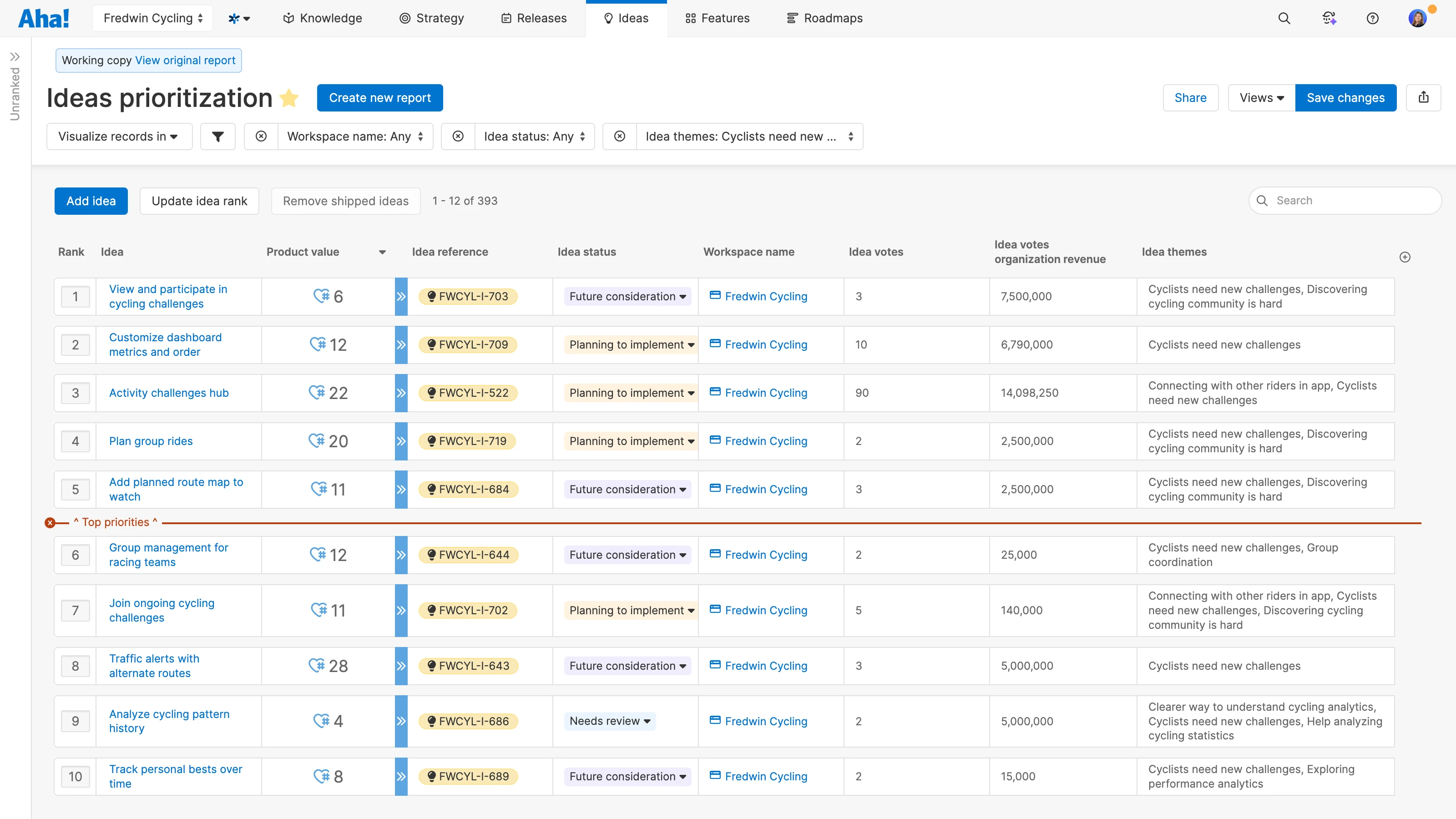
Decide which ideas to implement. Use the prioritization view to filter ideas by theme and rank them based on product value score and potential revenue. Then, promote the top suggestions directly to your product roadmap. This provides an efficient way to sift through all the ideas in your portal — so you know what to build.