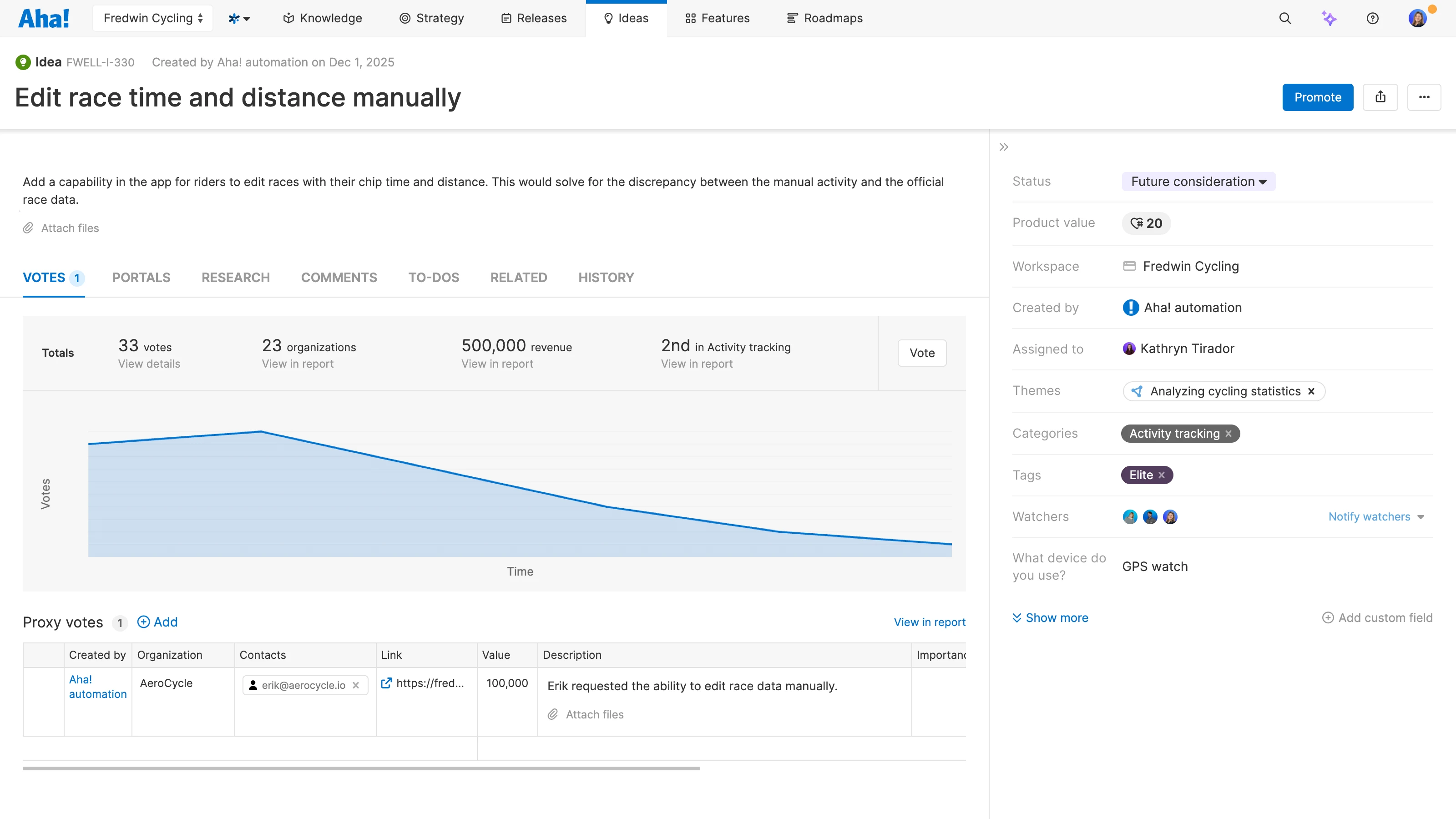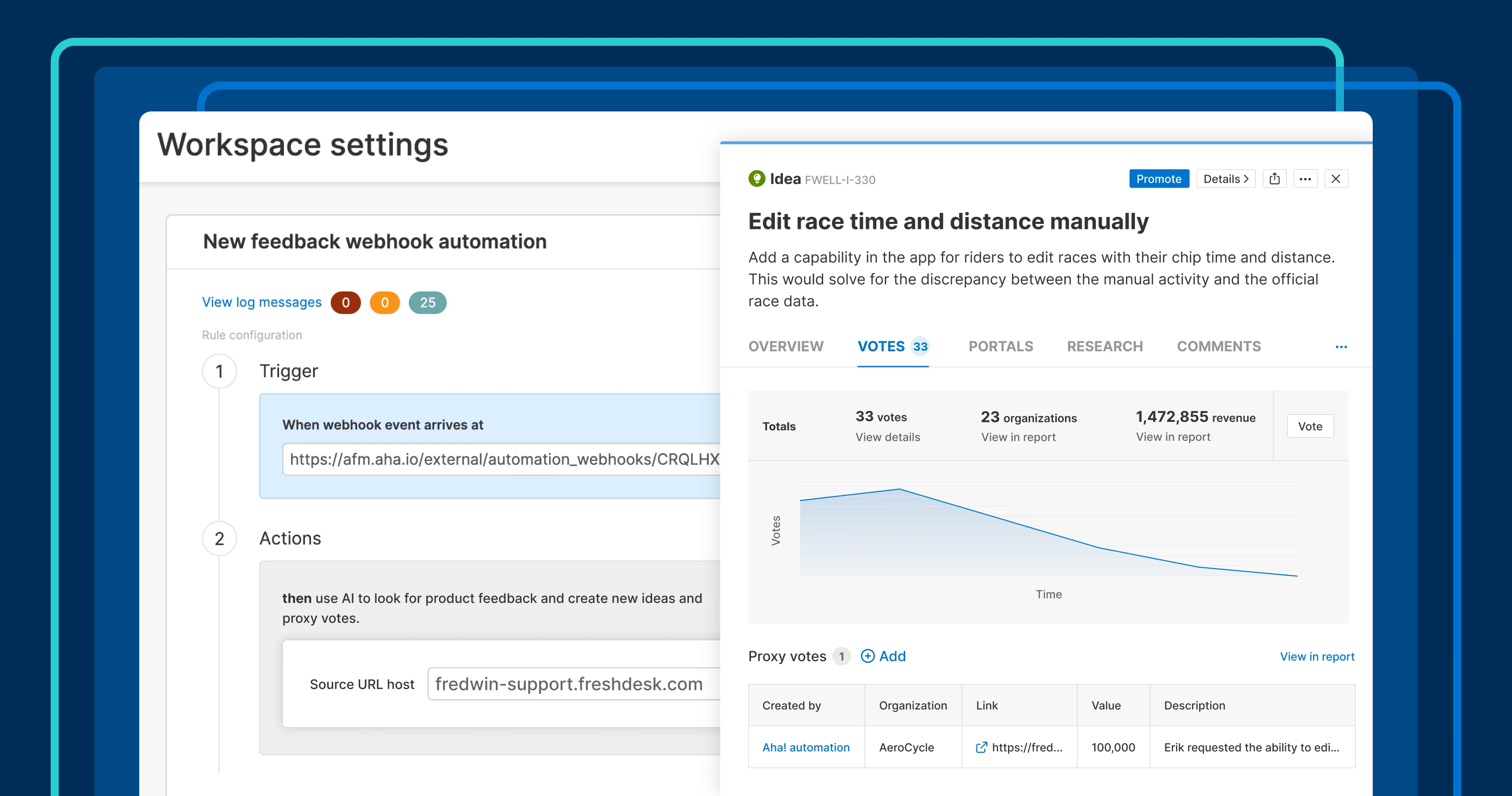
This webhook automation rule automatically detects ideas from Freshdesk tickets and adds them to Aha! Ideas.
Expand customer feedback collection from sales and support tools


How many product requests are hiding in your support queue right now? Or in sales call notes? Your customers are telling you what they need you to build next. The challenge is that the feedback is scattered across tools that product teams are not actively using. Today's update provides a way to capture all of that input automatically — ensuring you can listen to all your customers' voices.
Set up a webhook to automatically bring customer interactions into Aha! Ideas from just about any application. Then, let AI detect new feature requests and log ideas for consideration.
Capture product requests from more sources
Sales and support teams receive a lot of valuable product feedback. The challenge is getting visibility into those requests without having to scour the applications they use. We recently enhanced our integration between Aha! Ideas and Salesforce to make it easier for customer-facing teams to share feedback with product management. And today, we are introducing a new webhook to automate idea collection from a broad set of tools.
To get going, add a Feedback webhook automation rule in your workspace settings in Aha! Ideas. Then, set up a webhook in the other system (such as Freshdesk, HubSpot, or Gainsight) so that data is automatically sent over when specific tags are added or support tickets are closed. Our AI assistant then analyzes the text to detect product feedback, instantly creating new ideas for review. Yes — it truly is as magical as it sounds!
Here is what you can do:
Centralize customer feedback: Gather requests in Aha! Ideas that sales and support teams receive in other applications.
Capture key information: Configure the webhook to bring in information such as descriptions, customer details, and comments.
Log ideas with AI: Automatically add new ideas or update existing ones with a proxy vote and a link back to the original record.
Track feedback themes: Incorporate these requests directly into your idea review and prioritization process.
Never miss out on key product roadmap inputs again. You will love how easy it is to set up feedback webhooks and consolidate requests from multiple tools in one place.
Feedback webhooks are now available in Aha! Ideas Advanced. If your team is using Aha! Roadmaps and would like to try it out, contact our Customer Success team. We would love to show you the possibilities and help you get set up fast.
Take a closer look at how to gather more feedback in Aha! Ideas:
How to get started
Go to the Automation section in your workspace settings.
Add a new Feedback webhook automation rule and copy the generated Webhook URL.
Create a webhook in your external tool that triggers when records meet your criteria (this uses AI credits) and paste in the Webhook URL.
Configure the webhook to include important details about each request.
Review incoming requests in Aha! Ideas:
New ideas include a proxy vote linked to the originating record.
If a matching idea exists, the automation adds a proxy vote instead of creating a duplicate.
If the same URL is already linked, no new vote is added.
Pro tip: Now that you have a higher volume of ideas, use powerful built-in reporting and AI exploration to identify emerging themes.
📚 For more details, read the full support article.
Explore other automation possibilities in Aha! Ideas to streamline your idea management process. For example, you can set up rules to route ideas directly to the right person for review, get alerts for trending feedback, and update idea visibility based on status. Less admin overhead means more time to focus on improving your product based on what customers really need.
Upgrade to the Aha! Ideas Advanced plan
Aha! Ideas is the best way to crowdsource feedback, engage the community, and analyze trends. Choose Aha! Ideas Advanced if you need the most sophisticated capabilities — such as the Salesforce integration (and similar tool integrations), AI idea exploration and analysis, and dynamic forms. Start a free trial of Aha! Ideas to access all the advanced features, and please contact us if you would like to add it to your Aha! Roadmaps plan.