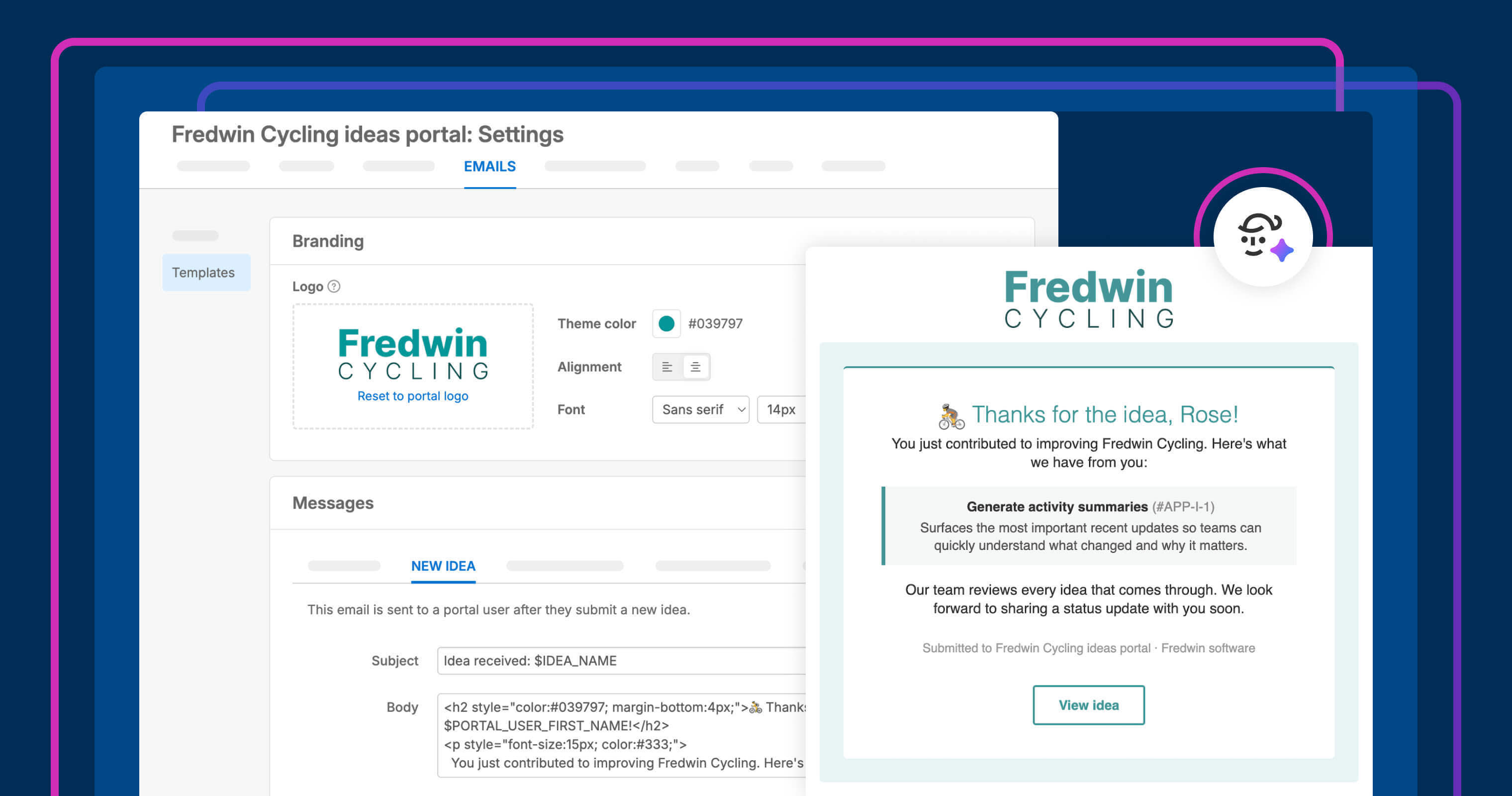
Tailor the emails sent to customers who provide feedback. Add branding, tokens, and an optional custom sending domain.
Send better emails to customers who share product feedback


"We received your idea." "We added an admin response." "Your idea shipped!" These are just a few of the email messages customers receive after sharing feedback in your ideas portal. When these updates match your brand and include the right context, they help build trust and encourage engagement.
In Aha! Ideas, you can now tailor the emails customers receive after sharing feedback. Add your branding, customize the content, and send from your own domain.
Send on-brand emails to customers
Ideas portals help you collect valuable feedback from customers and colleagues in one place. The emails customers receive after submitting an idea or getting an update are part of that experience, too. It is important that these messages match your company's branding to build trust. You could already match your portal colors to your brand using Elle, our AI assistant. Today's update makes it easier to bring that same consistency to every email customers receive.
Here is what you can do:
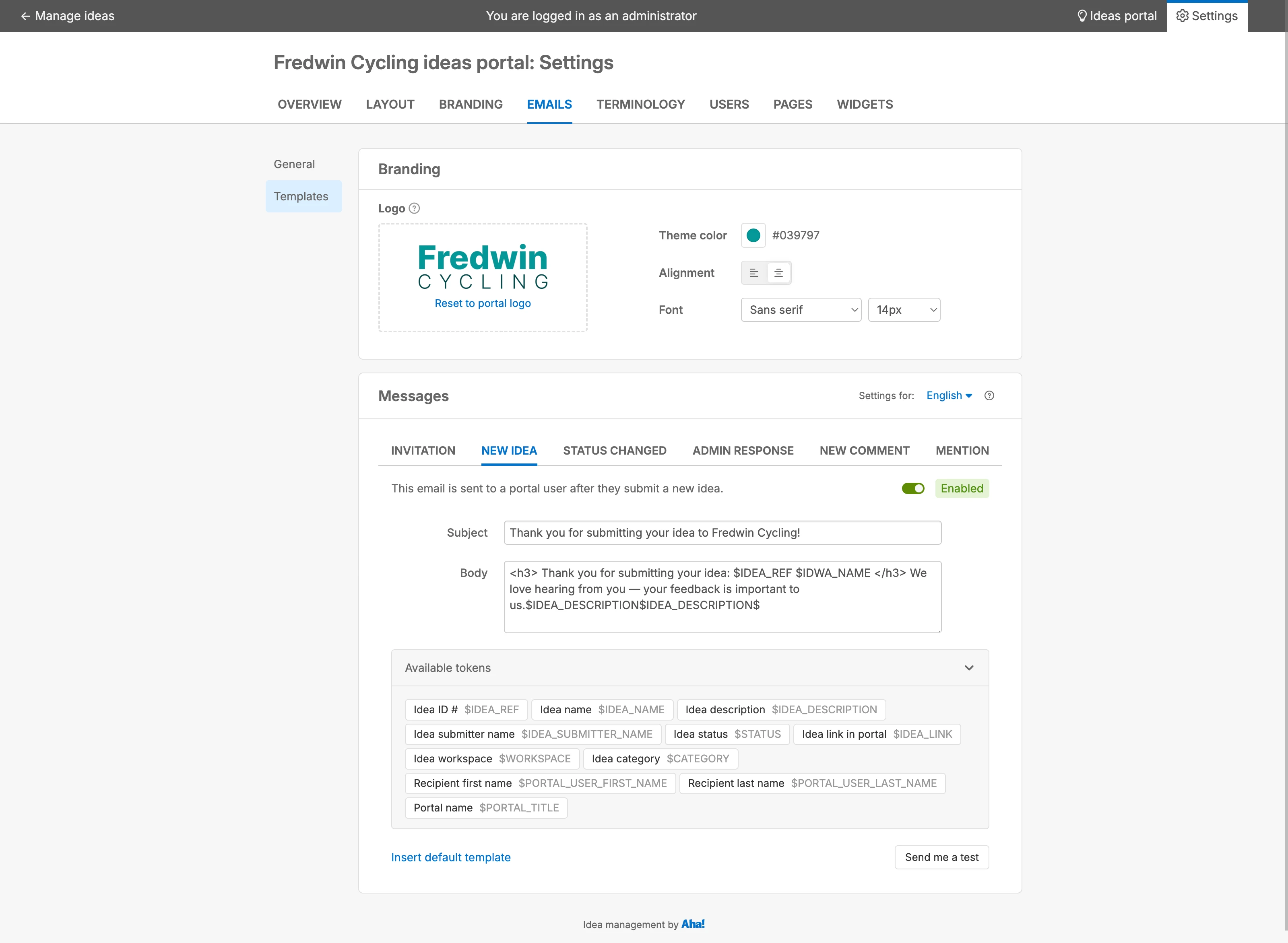
Match your brand: Upload a dedicated email logo and customize fonts, colors, text size, and alignment.
Add detailed information: Include dynamic tokens (such as recipient name, idea status, and admin responses) so customers immediately understand what changed.
Send from your own domain: Use a verified company domain so emails look familiar and are less likely to be filtered out (available in Aha! Ideas Advanced).
Customize shared branding across your emails, then tailor individual templates for different kinds of updates.
Email branding and template updates are available to all Aha! Ideas customers, whether you are using Aha! Ideas Essentials as a standalone product or as part of Aha! Roadmaps. Custom sending domains are available with Aha! Ideas Advanced.
How to get started
Open your ideas portal and go to Emails Templates.
Upload an Email logo or use your existing portal logo.
Adjust the Theme color, Alignment, Font, and Text size.
Open a template and type /$, or choose a token from the list to add dynamic fields.
If you have the Aha! Ideas Advanced plan, go to Emails General and click Add custom domain to get started with a verified sending address.
📚 For more details, read the full support article.
Customers are more likely to stay engaged when it is easy to follow what happens next. Besides customized emails, you can publish your roadmap on custom portal pages, gather richer details with dynamic forms, and support customers everywhere with portal translation.
Start a free trial of Aha! Ideas
Aha! Ideas is the best way to consolidate product feedback, engage your community, and prioritize what drives revenue. It also includes everything in Aha! Whiteboards Essentials and Aha! Knowledge Essentials to provide a comprehensive idea management solution. Sign up for a free 30-day trial of Aha! Roadmaps if you are interested in bringing together idea management and detailed planning. Or join a live demo to see why more than 1 million product builders trust our software to build lovable products and be happy doing it.