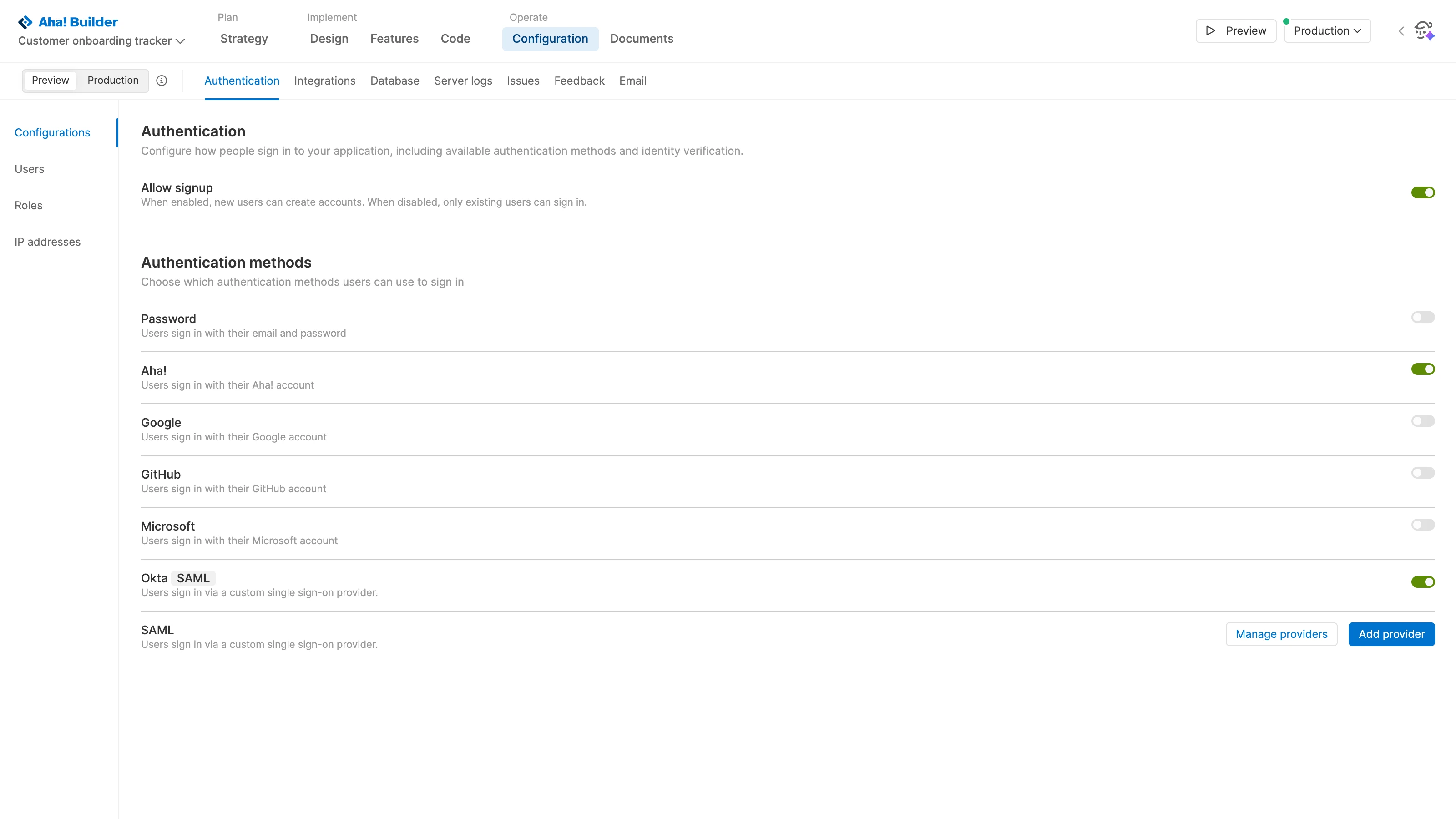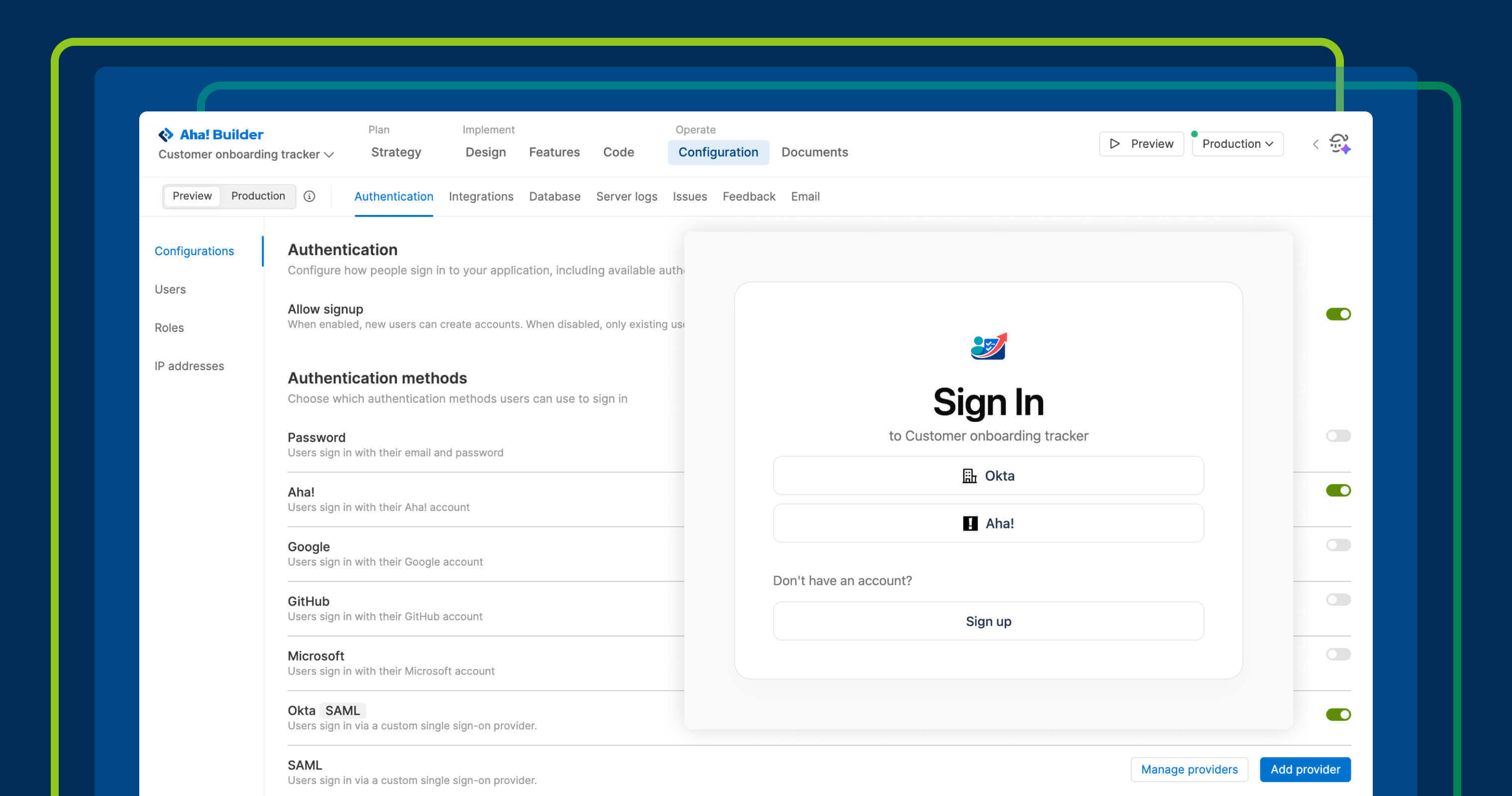
Choose which sign-in methods to allow with built-in authentication in Aha! Builder.
Our AI app builder includes built-in authentication


Building an application with AI can feel almost effortless. Then comes the work of preparing it for real-world use. You need to provide a secure, familiar way for people to sign in and manage access over time. Built-in authentication in Aha! Builder makes those pieces part of the application from the beginning.
Ensure that software built with AI is ready for end users, with secure sign-in and authentication capabilities.
Control user access
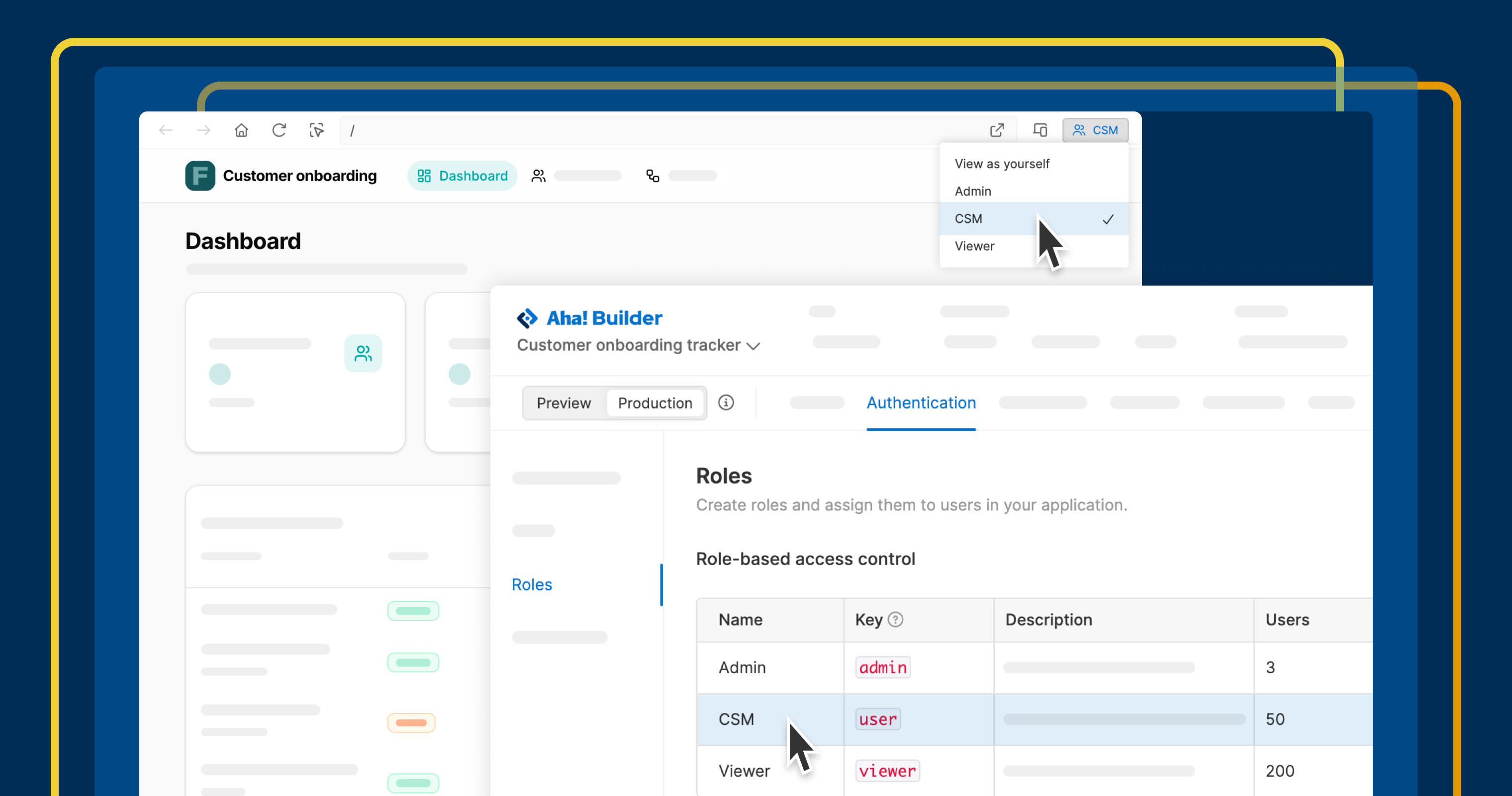
Aha! Builder helps you create business applications with AI that are ready for real use. Quickly configure authentication for every application you create in Aha! Builder. Choose from common sign-in methods or a custom SAML provider so employees can sign in with your organization's identity provider. You can also decide whether new users can request access, then manage users directly in Aha! Builder.
Application owners are not the only ones thinking about authentication. As AI makes it possible for more people across an organization to build business applications, administrators also need a way to maintain consistent authentication standards. The Governance page in Aha! Builder provides a central place to define which sign-in methods application owners can use and review authentication settings across your portfolio.
Here is what you can do:
Choose sign-in methods: Support passwords, Google, Microsoft, GitHub, Aha! login, or a custom SAML provider.
Control application access: Decide whether new users can sign up and restrict production access by IP address.
Test authentication: Validate sign-in behavior in preview before deploying to production.
Apply governance controls: Review authentication across applications and define allowed sign-in methods.
Together, these capabilities help teams configure authentication for individual applications while maintaining consistent standards across the organization.
Built-in authentication is available in Aha! Builder. Custom SAML providers are available to customers on the Scale plan. Governance capabilities for monitoring authentication across applications and defining allowed sign-in methods are available on the Team and Scale plans. (Start a free trial or join a demo today.)
How to get started
Open an application and go to Configuration Authentication.
Enable the sign-in methods you want people to use.
Decide whether new users can sign up for access.
If needed, configure a custom SAML provider for single sign-on.
Test authentication settings in preview before deploying to production.
Governance administrators can review authentication methods across applications from Overview Governance Applications.
📚 For more details, read the full support article.
Built-in authentication means one less service to configure before you can share an application with other people. It is another way Aha! Builder helps you spend more time on the application itself and less time assembling everything around it.
Start a free trial of Aha! Builder
Aha! Builder is the AI app coding tool — create prototypes, validate proofs of concept, and build trusted software. Sign up for a free 14-day trial or join a live demo to see why more than 1 million product managers trust our software to build lovable products and be happy doing it. Contact us if you are interested in trying Aha! Builder in your Aha! Roadmaps or Aha! Ideas account to go from idea to delivery.