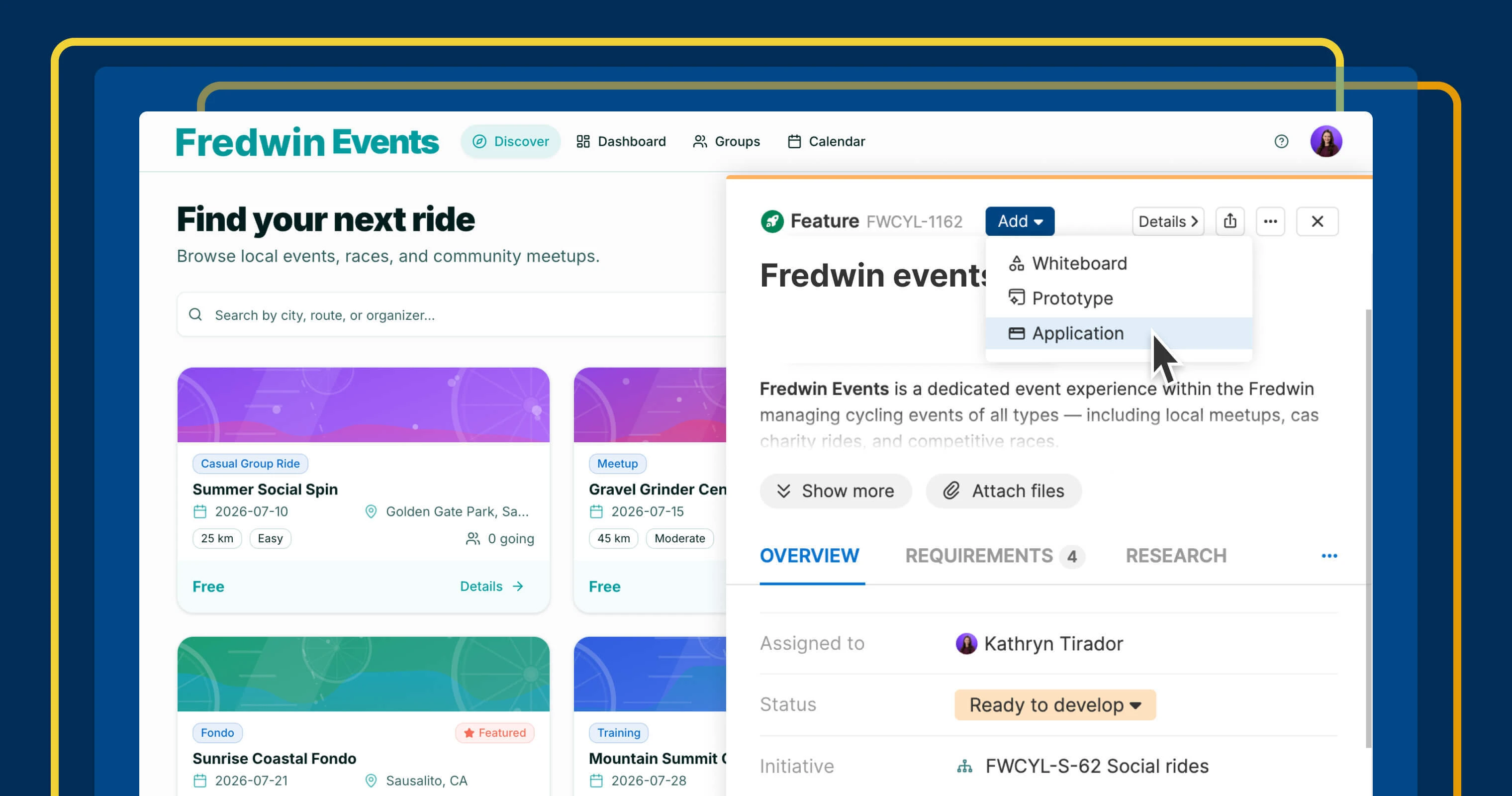
Build an application in Aha! Builder from a feature in Aha! Roadmaps.
Turn roadmap plans into AI-coded applications in Aha! Builder


The distance between product strategy and a working application used to be measured in handoffs and months. Now, it is measured in clicks. Aha! Builder lets product teams turn ideas into Minimum Lovable Products with simple text prompts and AI coding. With the connection to Aha! Roadmaps, the features and prototypes you have already defined become the starting point — so you can create functional software directly from them.
You can now send features and prototypes from Aha! Roadmaps to Aha! Builder for rapid implementation.
Build directly from your roadmap
Product teams use Aha! Roadmaps to create plans for new functionality. You set strategy, consolidate customer feedback, prioritize features, and create prototypes. Traditionally, the next step has been handing that work off so development can begin. But in this new era of AI coding, product managers are building too. Aha! Builder is seamlessly integrated with Aha! Roadmaps — helping you turn planned work into a production-ready application in one unified system.
The connection is direct. Send features straight from Aha! Roadmaps to Aha! Builder, choose whether to create a brand-new application or enhance an existing one, and then prompt Elle (the AI assistant) to start coding.
Importantly, you can also move Aha! Roadmaps prototypes into Aha! Builder to create a quick proof of concept to share for early user feedback. This way, you build from the plan your team already agreed on instead of starting from a blank prompt.
Here is what you can do:
Create a proof of concept: Turn a well-defined feature or prototype in Aha! Roadmaps into a proof of concept in Aha! Builder.
Get feedback and iterate: Share what you built to collect user feedback and iterate as you learn.
Improve an existing application: Assign an Aha! Roadmaps feature to an existing Aha! Builder application.
Do exactly what you want with just a few clicks. Here is what it looks like when a feature becomes the foundation for a new application.
The connection between Aha! Roadmaps and Aha! Builder is available to Aha! Roadmaps customers on the Aha! Builder Scale plan. Try Aha! Builder free for 14 days, or join a demo to see how product managers build and deploy enterprise-grade applications with AI.
How to get started
Start a new application from a feature
Click the Add button and select Application.
Aha! Builder opens in a new tab and begins building an application from the feature description.
Add a feature to an existing application
Open a feature in Aha! Roadmaps and find the Team field in the feature details.
Select your Aha! Builder application from the Team field.
Click the > icon to open the feature in Aha! Builder.
Click Build to prompt Elle to implement the feature in your application.
Move a prototype to Aha! Builder
Click Send to Aha! Builder.
Open the prototype in Aha! Builder to continue refining or convert it into an application.
Pro tip: If your workspace uses a custom feature layout, be sure to add the Team field to the layout so it is visible on all features.
📚 For more details, read the full support articles.
Strategic planning and AI building are no longer separate workflows. Aha! Roadmaps and Aha! Builder bring them together — making it easy to turn features into enterprise-ready applications while keeping your product strategy at the center of what you create.
Start a free trial of Aha! Builder
Aha! Builder is the AI coding tool — create robust prototypes and trusted business applications using AI. Sign up for a free 14-day trial or join a live demo to see why more than 1 million product managers trust our software to build lovable products and be happy doing it. Contact us if you are interested in trying Aha! Builder in your Aha! Roadmaps or Aha! Ideas account to go from idea to delivery.