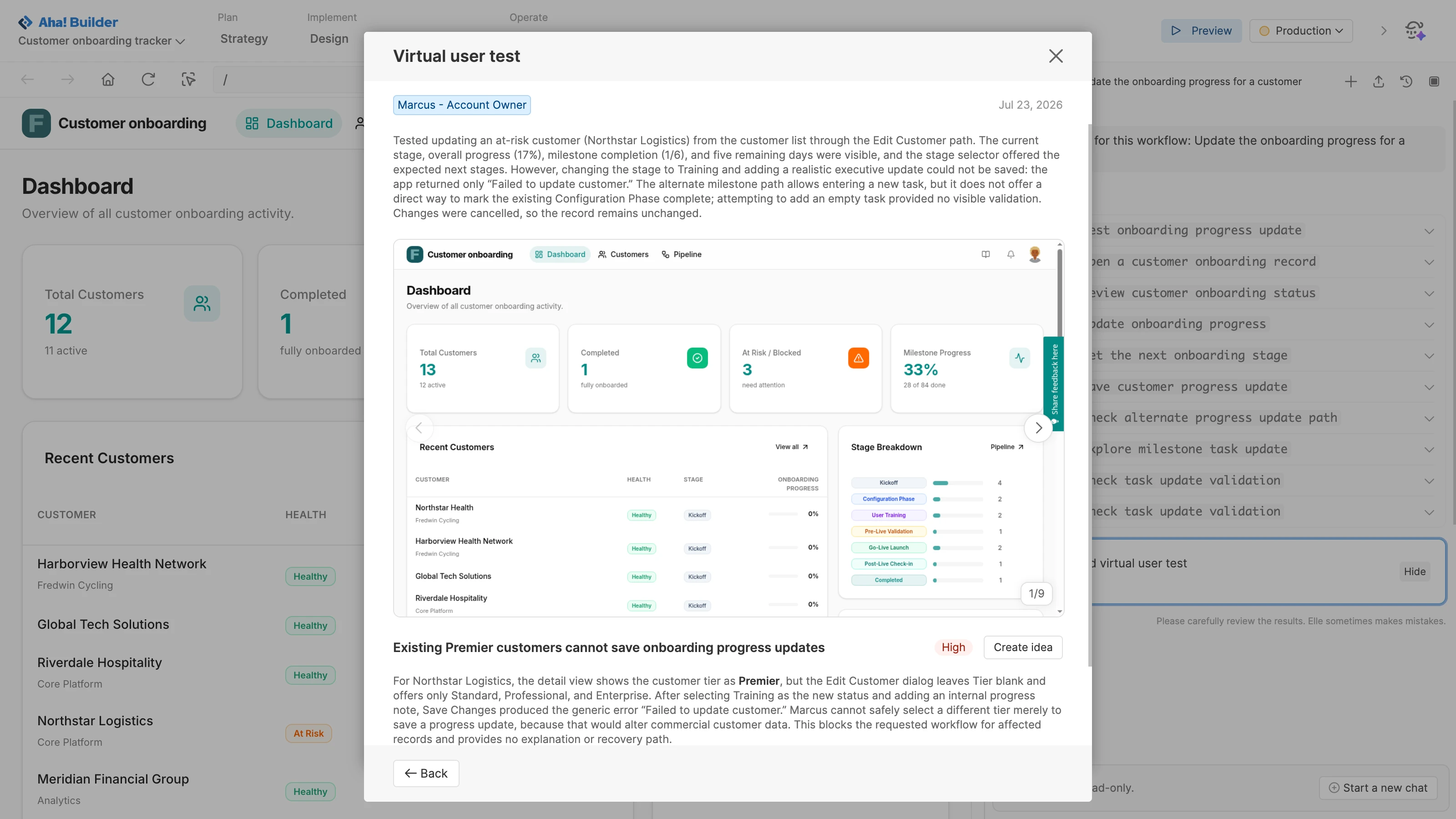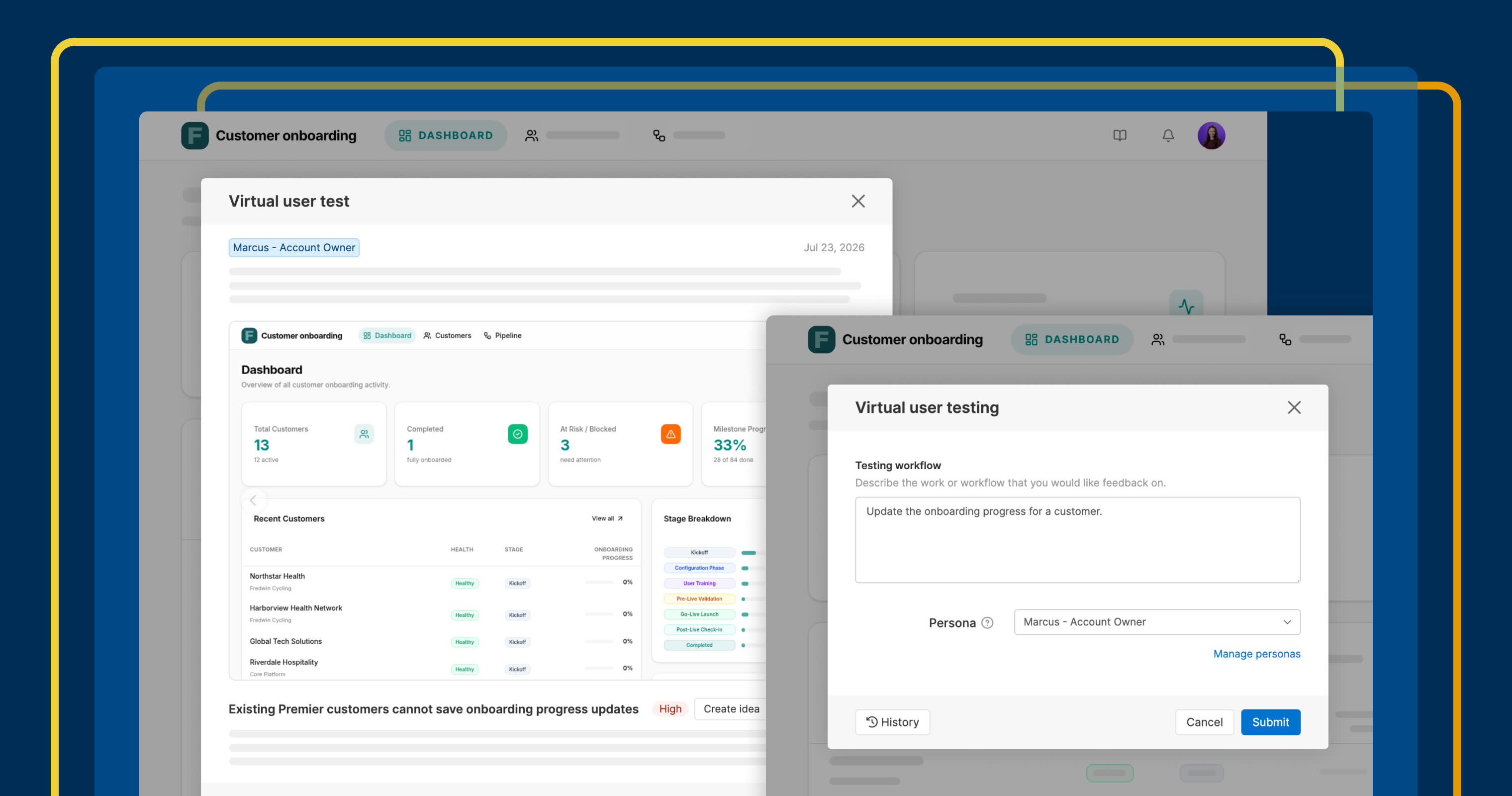
Review a virtual user test report with strengths, friction points, and suggested improvements in Aha! Builder.
Test AI-built apps with virtual users in Aha! Builder


Nothing replaces feedback from end users. But it is helpful to resolve as many issues as possible before you share your concepts with real people. Now, virtual users can help find issues before you go live.
Run virtual user tests in Aha! Builder to identify opportunities to improve your proof of concept or application — guided by the job to be done and target persona.
Test before you deploy
Aha! Builder makes it possible to turn an idea into a proof of concept or application with help from Elle, a powerful AI assistant. Before you share what you built, you want confidence that key workflows make sense, important tasks are easy to complete, and small issues do not become someone else's first impression.
Virtual user testing gives you an objective starting point: a way to catch what you might miss when reviewing your own work. It works like this:
Define the job to be done: Focus the virtual user on a specific workflow or scenario.
Choose an optional persona: Test from the perspective of a particular customer or user type.
Review structured feedback: See what is working well and where there is room to improve.
Turn feedback into action: Create ideas from the findings, or ask Elle to help implement changes right away.
As you make changes, run another virtual user test to see whether the fix resolved what the last one flagged. It is a fast way to check progress between iterations.
Virtual user testing is now available for Aha! Builder customers on the Team and Scale plans. Start a free trial to explore it yourself, or join a demo to see how it works.
Watch a virtual user test from start to finish:
How to get started
Click the Run virtual user testing icon from Preview or Features Ideas.
Describe the test scenario.
Optionally, select one of your application's personas.
Click Submit to start the test.
Review the full report to see the test results and prioritize any updates.
Click Create idea to save a recommendation as an idea record.
Ask Elle to implement the changes you want to make.
📚 For more details, read the full support article.
Once you are confident in the app experience, bring in actual users — the feedback widget can route what they tell you into the same ideas list the virtual tests already started. Between the two, you get a fuller picture of what to fix before your next release.
Start a free trial of Aha! Builder
Aha! Builder is the AI app coding tool — create prototypes, validate proofs of concept, and build business applications. Sign up for a free 14-day trial or join a live demo to see why more than 1 million product managers trust our software to build lovable products and be happy doing it. Contact us if you are interested in trying Aha! Builder in your Aha! Roadmaps or Aha! Ideas account to go from idea to delivery.