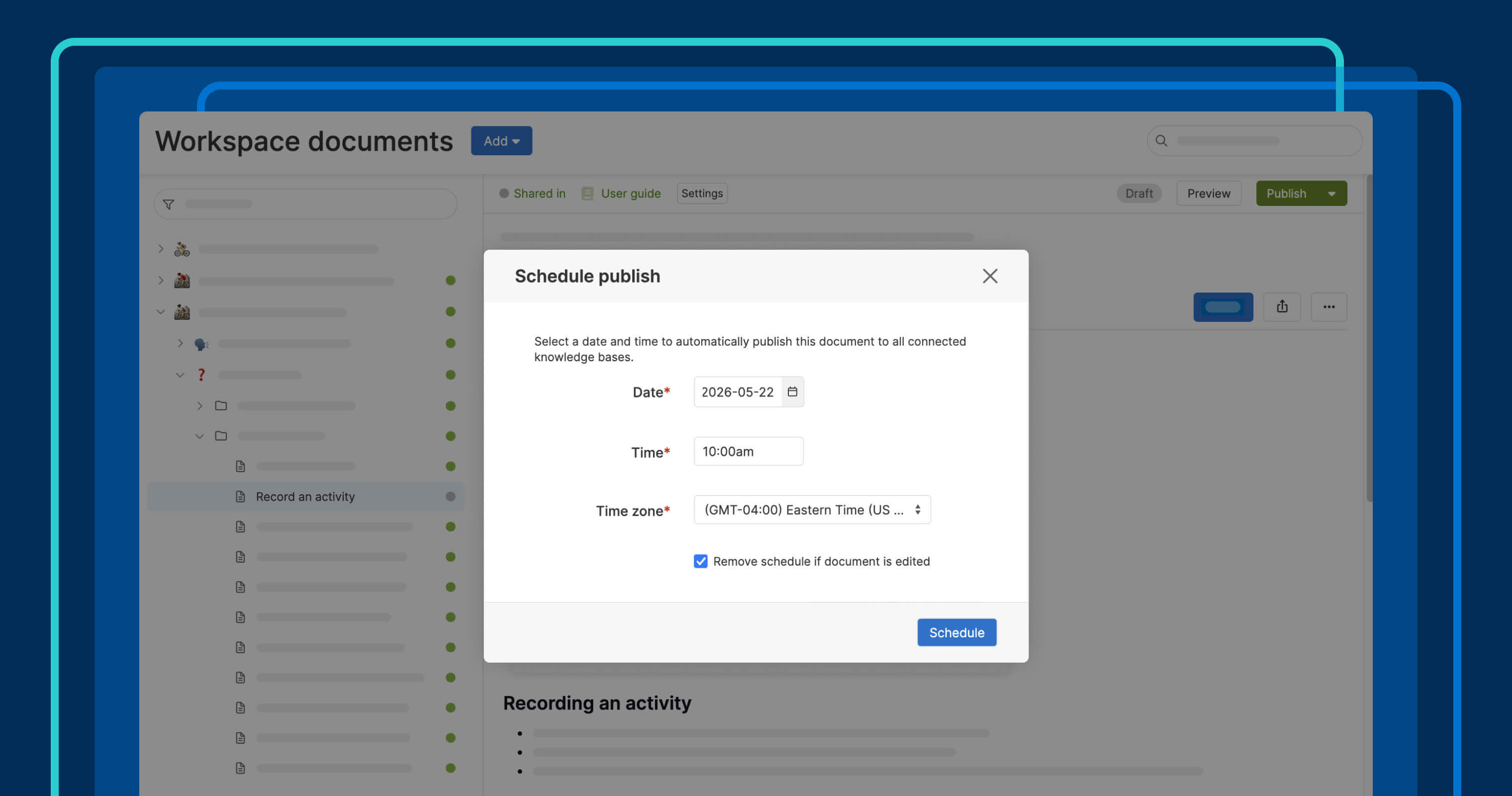
Publish knowledge base articles at a specific date and time.
Schedule publishing for knowledge base articles


A product launch often requires updates to dozens of knowledge base articles at once. Technical writers spend weeks drafting and reviewing them. But on launch day, someone still has to publish all of them manually. That is a lot to coordinate when you want to make updated information available to customers right away. Now, you can line everything up in advance and set it to go live on schedule.
Use Aha! Knowledge to schedule when new articles will go live in your product knowledge base — so updates reach customers at exactly the right time.
Align documentation with product releases
Aha! Knowledge is the place to share product documentation with customers and colleagues.
If you use Aha! Knowledge Advanced, you can create public or private knowledge bases for different products and audiences, brand them with your own domain and design, and even embed them directly in your application. Pair it with Aha! Roadmaps to go from defining new features to documenting them to publishing — all in one place. Elle, the AI assistant, has full context around your plans and can help you draft and refine content along the way.
You can already establish clear publishing workflows to draft articles and route them through review and approval. Now, you can schedule articles to go live at a specific date and time. Prepare updates in advance and have them publish automatically when the moment arrives. If plans change, you can easily cancel, reschedule, or update the content before it goes live.
Here is what you can do:
Set a date and time: Choose the exact moment a document will go live.
Publish in bulk: Schedule multiple documents to publish at the same time.
Change your plans: Reschedule to a new time or cancel a scheduled publish entirely.
Control updates: Choose whether edits to a document automatically cancel a scheduled publish.
Manage the queue: Review and manage everything that is scheduled to publish in one place.
This means you have one less thing to coordinate on launch day. Set your publishing schedule in advance and move on to other work — your documentation will be there when customers need it.
Scheduled publishing is now available for all Aha! Knowledge Advanced customers. Contact us to request a demo or upgrade your account.
How to get started
Workspace owners and users with custom publishing roles can publish knowledge base articles. Owners can access the Knowledge base management page.
Open any document in a knowledge base.
Click the dropdown next to the Publish button and select Schedule publish.
Select the date, time, and time zone for publishing.
Use the same dropdown to reschedule, cancel, or manage how edits affect a scheduled publish.
Head to Knowledge base management Bulk edit to schedule multiple documents to go live at once.
See all scheduled documents on the Scheduled to publish page.
📚 Read the full support article for detailed instructions.
When your team is coordinating a product release, documentation should not add to the list of things to manage at go-time. Schedule it to publish in advance and let Aha! Knowledge handle the rest. Try scheduled publishing today in Aha! Knowledge Advanced.
Upgrade to the Aha! Knowledge Advanced plan
Aha! Knowledge is the product information hub. Choose the Aha! Knowledge Advanced plan if you need to share product documentation with customers and colleagues via public or private knowledge bases. Start a free trial of Aha! Knowledge now to explore all the advanced features. Or contact us if you would like to add it to your existing Aha! Roadmaps plan.