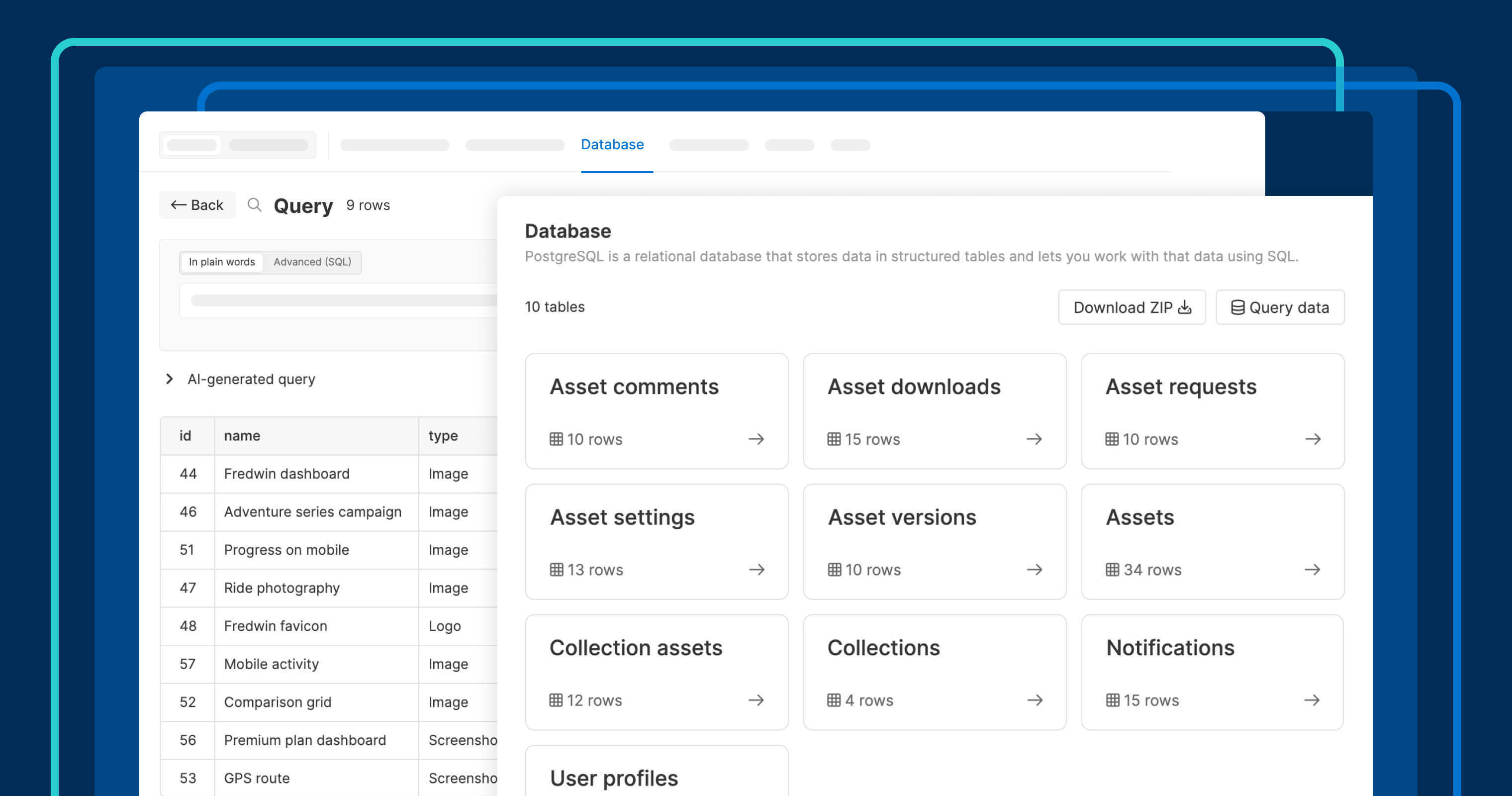
Built-in databases in Aha! Builder support real workflows without external setup.
Use Aha! Builder to create applications with a built-in database


We just launched Aha! Builder, the PM coding tool to create business applications with AI. Product managers can now create prototypes, internal applications, and customer-facing tools that meet enterprise standards. You describe what you want, and the AI assistant (Elle) rapidly develops the software. Of course, applications need real data to support real work. This is exactly why Aha! Builder includes a built-in database from the start.
Create secure, database-backed applications in Aha! Builder to support real-world use — no additional setup or third-party services needed.
Build enterprise-grade applications
The beauty of Aha! Builder is that you can develop new business software quickly without introducing risk. Everything you need is built in, including a database, authentication, integrations, and secure hosting. You can focus on crafting a lovable user experience, all while knowing your application is backed by secure, production-ready infrastructure.
Every application you create is backed by a PostgreSQL database. There is no separate service to configure. Elle automatically structures the tables so you can work with real data from day one. You can also build in stages — create a prototype, then ask Elle to add a database when you are ready to support real workflows.
Here is what you can do:
Create data-backed applications: Elle creates a database as part of your application — no additional setup required.
Test before going live: Work with separate preview and production databases so you can test changes without affecting live data.
Query the database: Inspect and troubleshoot your data with SQL or natural language prompts, and make manual updates when needed.
Built-in databases make it easier to create secure, fully hosted applications powered by real data. See how to build an enterprise-approved application in our upcoming live tutorial on Thursday, May 28.
Prototypes and applications with built-in databases are available for all Aha! Builder customers. If you haven't tried Aha! Builder yet, start a free trial now and create your first application. You will be amazed at the results. Or schedule a live demo with our product experts to see what is possible.
How to get started
Open an existing application in Aha! Builder or create a new one.
Go to Configuration Database to view the database tables.
Open each table to view the details and edit the data.
Click Query data to search with natural language or SQL.
Switch between separate Preview and Production environments.
Pro tip for prototypes: Tell Elle what data you want to work with or track. This will create the database to support it.
📚 For more details, read the full support article.
We launched Aha! Builder to give product managers a way to deliver what they know should exist. You need more than a simple AI prototyping tool. Aha! Builder is the best way to create secure, scalable applications with a built-in enterprise-grade database.
Start a free trial of Aha! Builder
Aha! Builder is the PM coding tool — create robust prototypes and trusted business applications using AI. Sign up for a free 14-day trial or join a live demo to see why more than 1 million product managers trust our software to build lovable products and be happy doing it. Contact us if you are interested in trying Aha! Builder in your Aha! Roadmaps or Aha! Ideas account to go from idea to delivery.

