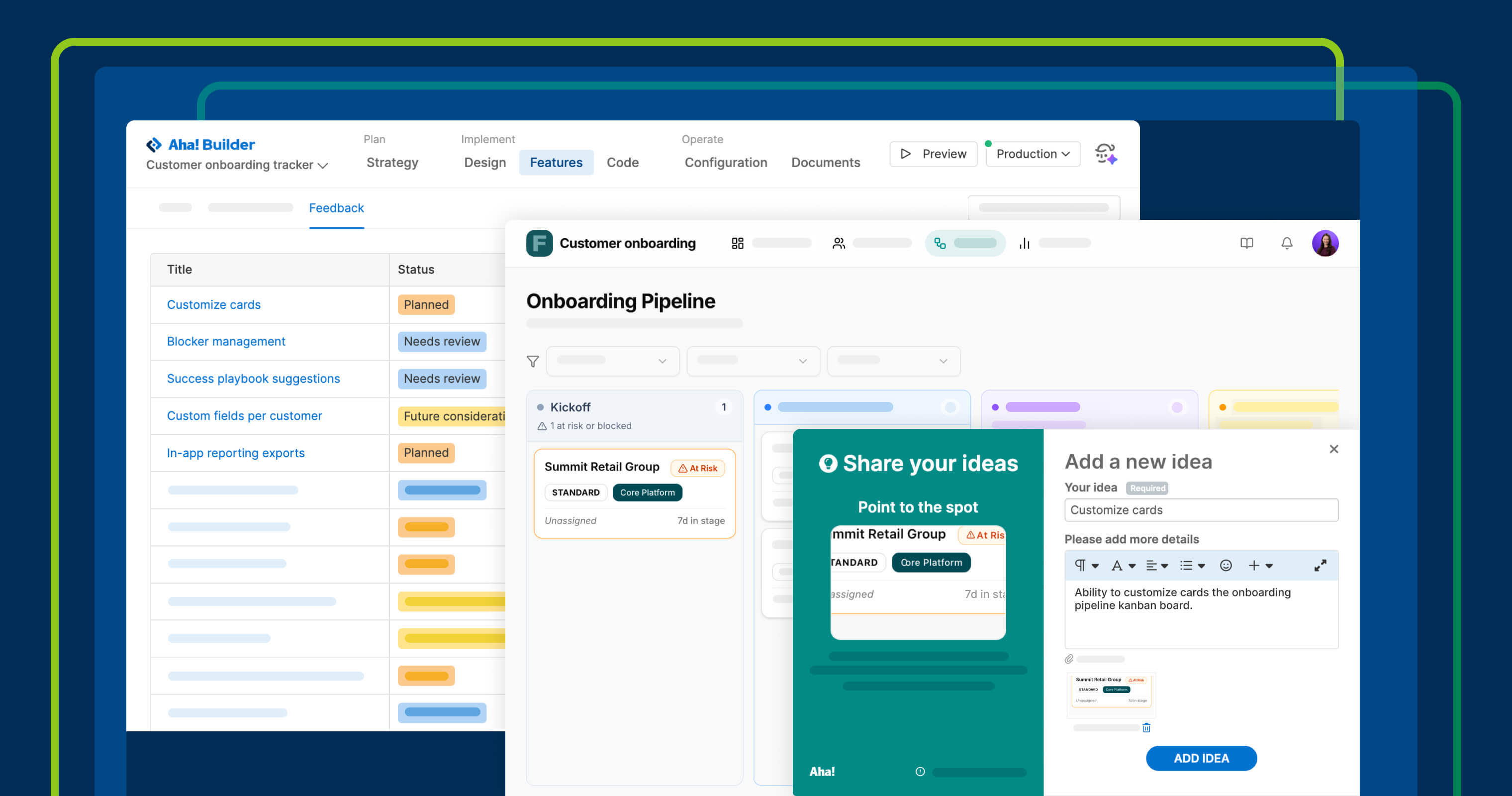
Gather input from the feedback widget, then review those ideas in Aha! Builder.
Collect user feedback directly in prototypes with Aha! Builder


You build a prototype to answer a question: Will this work well for the people who will use it? The only way to find out is to put it in front of them. With Aha! Builder, you can quickly create interactive prototypes backed by a database and share them directly with end users. Today's launch adds the ability to capture and manage their feedback.
Collect feedback directly in AI-coded prototypes with Aha! Builder — so you can refine your approach based on how people use what you built.
Turn feedback into your next build
Aha! Builder is the PM coding tool for creating prototypes and applications. They are interactive, database-backed, and shareable with end users — making it easy for you to validate ideas before investing in development. With today's update, you can add a feedback widget to any prototype you share.
Enable feedback collection to create an in-app widget in your deployed prototype or application. Customize the name, position, and color to match your brand. Share your prototype so folks can submit ideas as they use what you built.
Here is what you can do:
Capture ideas in context: Add a feedback widget to your prototype so end users can share their thoughts.
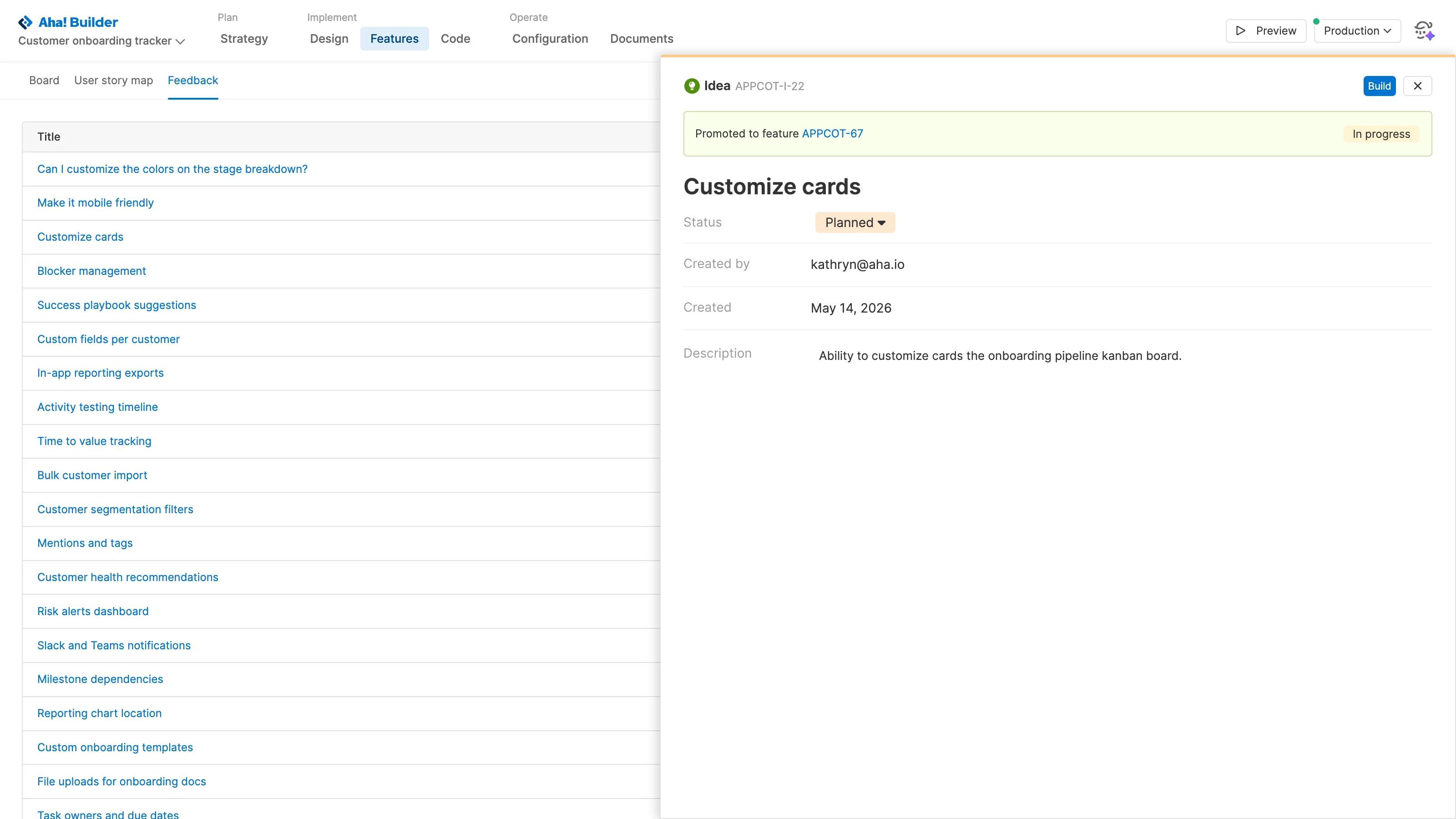
Review feedback: Evaluate submitted ideas on a dedicated feedback page.
Prioritize what to build next: Promote top ideas to features for further planning.
Iterate with AI: Ask Elle to build out new features and refine the experience until it is ready for engineering.
The entire PM coding workflow can now happen in a single tool (or suite of tools if you are already using Aha! Roadmaps or Aha! Ideas).
The in-app feedback widget is available for Aha! Builder Team and Aha! Builder Scale customers.
Here is this new capability in action:
How to get started
Create a prototype or application with Elle in Aha! Builder.
Open the Configuration tab and enable feedback collection.
Customize the form preferences and button details.
Share your prototype or application with end users so they can submit ideas while using it.
Review incoming ideas on the Feedback page and promote the best ones to features.
Pro tip: Work with Elle to further define a feature, then ask Elle to build it.
For more details, read the full support article.
Collect feedback, refine your prototype, and prepare it for handoff to engineering — all in one place. Join our live tutorial on May 28 to see how it works. Senior Product Manager Sarah Moisan-Thomas and Senior Product Evaluation Manager Peter Whisenant will show how to go from a rough idea to a working prototype and gather in-app feedback along the way.
Start a free trial of Aha! Builder
Aha! Builder is the PM coding tool — create robust prototypes and trusted business applications using AI. Sign up for a free 14-day trial or join a live demo to see why more than 1 million product managers trust our software to build lovable products and be happy doing it. Contact us if you are interested in trying Aha! Builder in your Aha! Roadmaps or Aha! Ideas account to go from idea to delivery.