Run focused feedback programs for beta testers, advisory boards, innovation campaigns, and more.
Create dedicated ideas portals for different user groups


Do you gather feedback from multiple groups? Likely. And does each group need to see everyone's requests? Unlikely. New ideas portal settings in Aha! Ideas Advanced now give you greater control to manage different audiences and what they can view.
Create a dedicated portal for each audience and control exactly which ideas appear — while keeping all feedback centralized in one workspace.
Keep feedback programs focused
Ideas portals give your users a central place to submit product feedback and vote on what matters to them. When you are running several programs at once (such as early access groups, innovation campaigns, and customer advisory boards), each audience should only see the ideas relevant to its program — not everything flowing in from every other group. Keeping that separation previously meant maintaining separate workspaces for each portal.
Now, you can have the best of both worlds: Create dedicated portals for each unique audience and manage everything in one place. New settings in Aha! Ideas Advanced let you decide which ideas are included in each portal and select specific ideas to share across portals. All the feedback lands in the same workspace for you to evaluate.
Here is what this update helps you do:
Create dedicated portals: Set up as many public or private ideas portals in your workspace as you need for different groups of users.
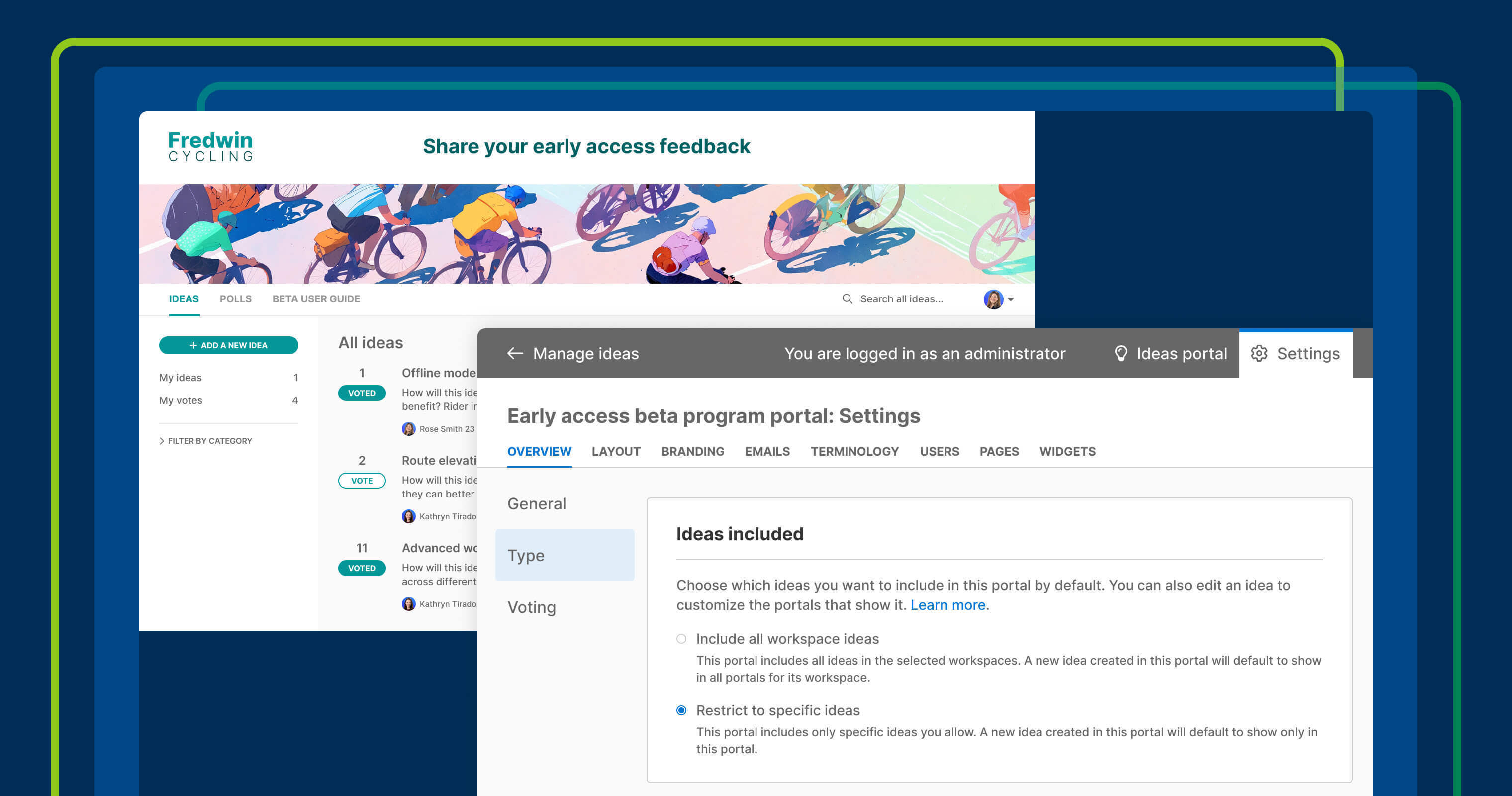
Control the ideas included in each portal: Choose whether you want to Include all workspace ideas or Restrict to specific ideas by default.
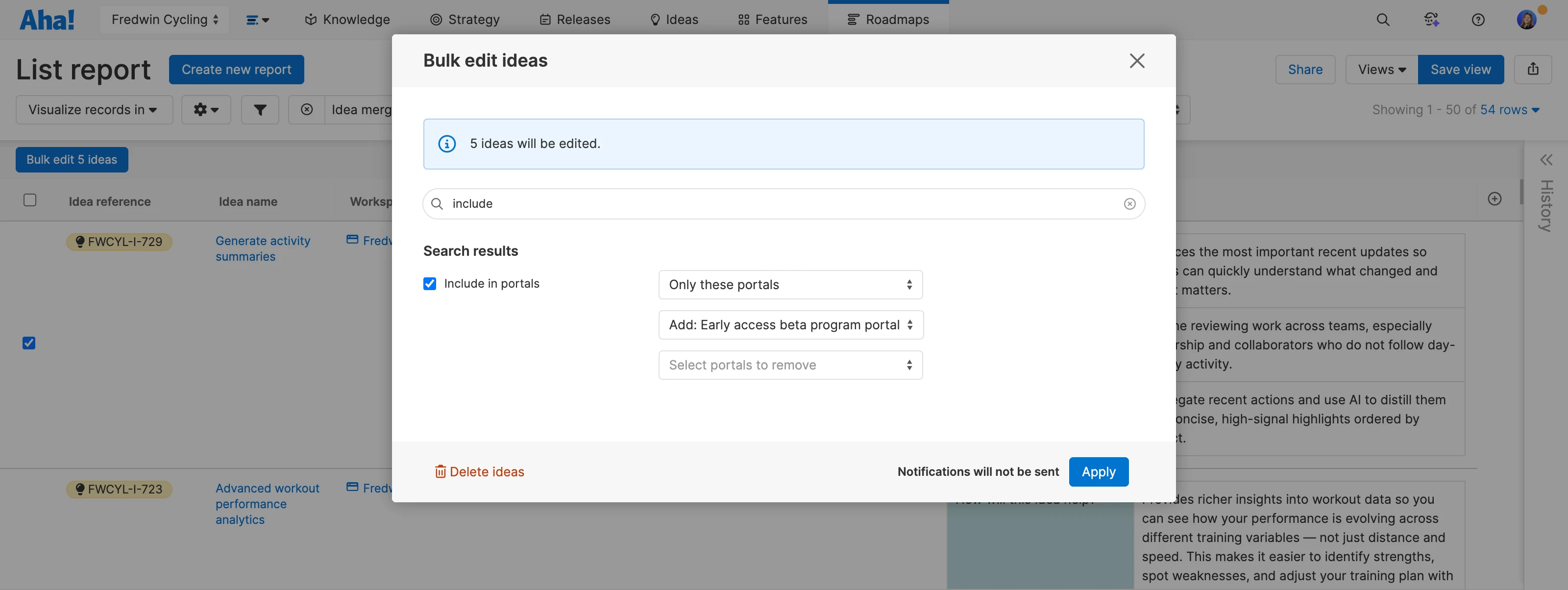
Select portals for each idea: Use the new Include in portals field on each idea record (or via bulk edit from a list report) to determine which restricted portals it appears in.
Manage everything in one place: Review incoming ideas from all portals on the Ideas overview page to streamline prioritization.
This way, you can tailor the feedback experience without creating more work for the team. Then, filter your Ideas overview dashboard by the portal the ideas were submitted in to zero in on specific requests.
In the example below, we are selecting ideas from a list report to add to only our early access beta program portal:
This new ideas setting is available for all Aha! Ideas Advanced customers. Start a free trial of Aha! Ideas to see it in action, or request a personalized demo for your team.
How to get started
Open your ideas portal settings.
Under Type, find the new Ideas included setting.
Choose Restrict to specific ideas to control visibility for individual ideas (all future ideas created in that portal will also be visible only in that portal by default), or Include all workspace ideas to show all ideas in the workspace by default.
Use the Include in portals field on any idea to select which restricted portals it appears in, or bulk edit from a list report.
📚 For more details, read the full support article.
Running focused feedback programs does not have to mean more administrative overhead. Once the ideas flow in, use Elle, our AI assistant, to find themes in the feedback and decide what to build next.
Upgrade to the Aha! Ideas Advanced plan
Aha! Ideas is the best way to consolidate feedback, engage the community, and analyze trends. Choose Aha! Ideas Advanced if you need the most sophisticated capabilities — such as the Salesforce integration (and similar tool integrations), AI idea exploration and analysis, and dynamic forms. Start a free trial of Aha! Ideas to access all the advanced features, and please contact us if you would like to add it to your Aha! Roadmaps plan.