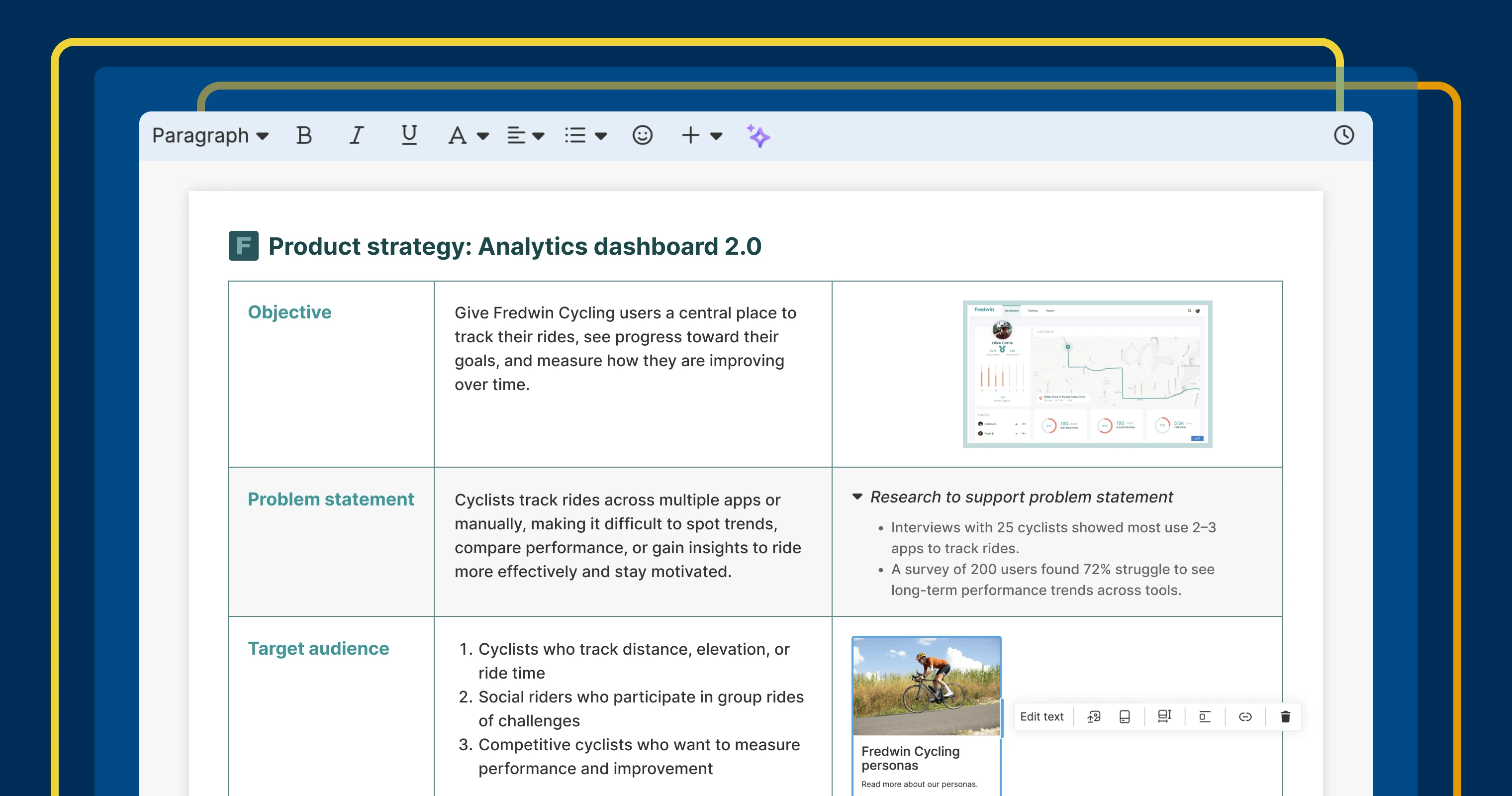
New text formatting options make it easier to create polished, on-brand documentation.
6 new formatting options in the Aha! text editor


What do product strategy docs, process guides, and support articles have in common? They all depend on good writing and clear presentation of information. Your message is more likely to resonate when content is well-structured and easy to read. Today's update brings new formatting options to the Aha! text editor — so you can craft professional content with fewer steps.
Use new styling options for images, text, and links in Aha! software to create polished content even faster.
Create beautiful documents
The Aha! text editor is the foundation for how you communicate and collaborate in Aha! software. You use it to craft strategy documents, define features, capture meeting notes, publish release notes, and more. A few months ago, we delivered a major update to the text editor — adding advanced capabilities to better support how product teams work.
And we are launching even more enhancements today. Six new formatting capabilities make content easier to read and understand. Here is what you can do:
Copy and paste formatting: Apply styling from one section to another to keep content consistent.
Track word count: Check word and character counts for an entire document or selected section.
Customize image borders: Define the color and width of borders to help images stand out.
Insert link cards: Add a visual link card for key resources. Include a title, description, image, and link destination.
Renumber lists: Start lists at any number to keep steps clear, even when they are interrupted by images or callouts.
Make copy sections expandable: Organize content with text sections that expand and collapse.
Now, you can produce professional, on-brand documentation with far less effort — so teammates and customers can quickly understand information.
The text editor is in every part of our software and available to all Aha! users. Upgrade your account to include Aha! Knowledge Advanced if you need to share product documentation on public or private knowledge bases.
How to get started
Open any record description or note to access the text editor.
Use the + icon to access Copy format, Paste format, Word count, Link card, and Expandable section options.
Click an image to reveal the image toolbar and adjust the image's border and width.
Start a list with any number, and the following items will automatically renumber.
📚 For more details, read the full support article.
A polished document is easier to understand and better represents your product. Use these new capabilities to bring structure and clarity to everything you write. Then publish it in an internal wiki or self-serve knowledge base so everyone can find what they need, fast.
Start a free trial today
The text editor is available to all Aha! customers. Our suite of product development tools works seamlessly together to help teams turn raw concepts into valuable new capabilities — for customers and the business. Set strategy, crowdsource ideas, spark creativity, prioritize features, share roadmaps, manage releases, and plan development. Sign up for a free 30-day trial or join a live demo to see why more than 1 million product builders trust our software to build lovable products and be happy doing it.


