Affinity map template
Group interview highlights and ideas into clear themes
Use template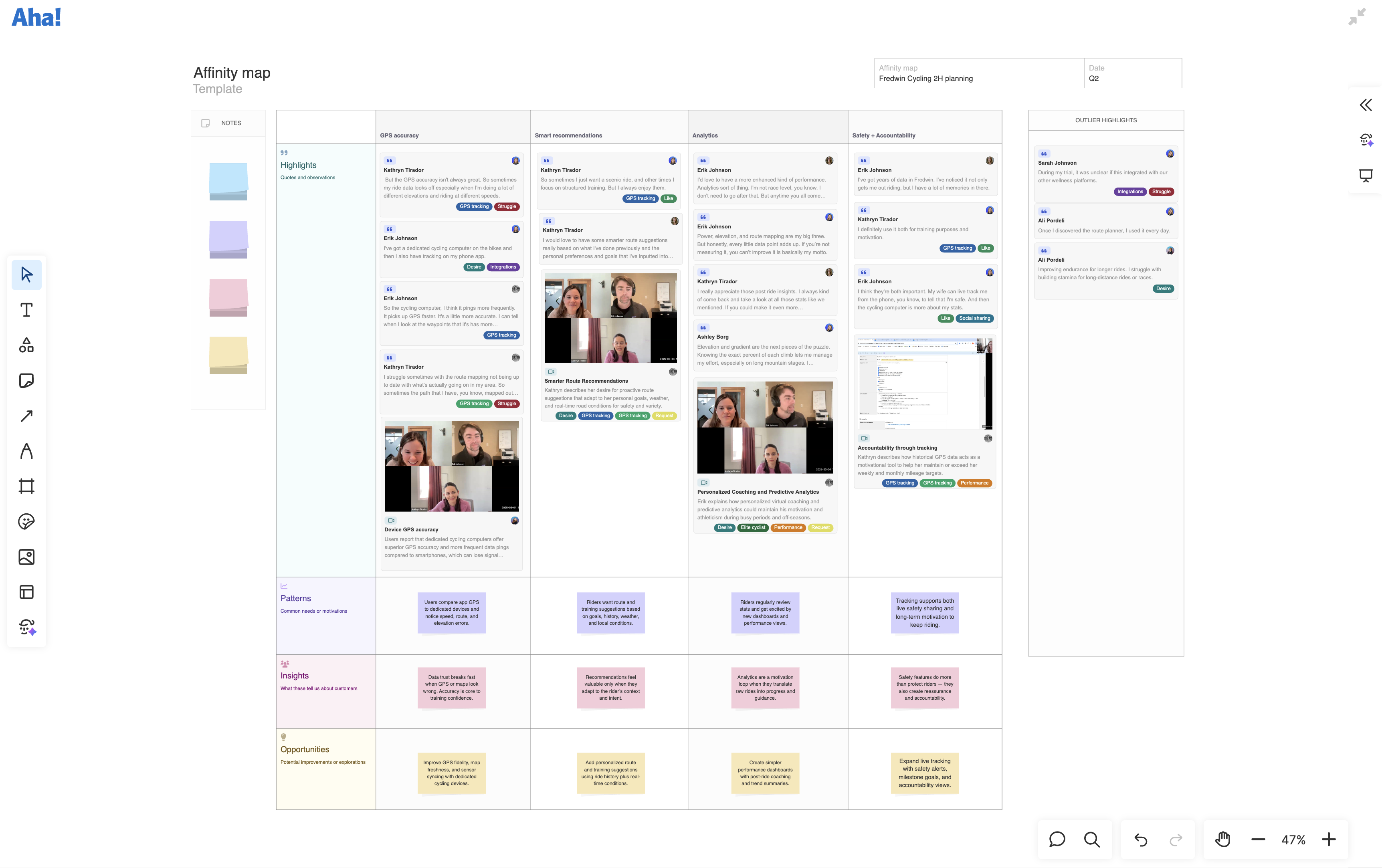
About the affinity map template
After a round of customer interviews, you are often left with dozens of learnings and ideas. You need a way to turn those raw inputs into something you can act on. An affinity map gives you a structured way to group customer feedback and ideas into common themes — so you can identify product opportunities. Sort interview highlights, ideas, and observations into columns by theme. Then, analyze each theme to surface highlights, patterns, insights, and opportunities to move from raw feedback to a clear set of next steps.
Included in the affinity map template
This affinity map template includes built-in capabilities such as:
A menu of classic whiteboard features (including shapes, sticky notes, grids, and emojis)
Quick access to best practices and a pre-filled example for guidance
Inline comments to gather feedback, questions, and ideas from teammates
Support for importing interview highlights
How to use the affinity map template
Use the affinity map template when you want to synthesize customer interview insights into a clear direction. Start by adding observations, quotes, and learnings from recent conversations on the board. Then, sort them into themed columns starting with the Highlights row.
From there, note common needs in the Patterns row, and record what each theme reveals about customers in the Insights row. Use the Opportunities row to capture ideas worth exploring. Drop anything that does not fit into Outlier highlights so it does not get lost.
When a theme is ready to act on, convert the opportunities into a record (like an idea, initiative, or feature) in Aha! Roadmaps — so you can move from discovery to delivery with clarity.
Best practices
Group interview feedback and ideas into themes, then work through patterns, insights, and opportunities to turn research into next steps.
Start with raw notes: Add all your inputs (like interview highlights and your own observations) to your board before you start organizing. This keeps early assumptions from steering the grouping process.
Let Elle take the first pass: Ask Elle (the AI assistant in Aha! software) to group your highlights and notes into themes and draft patterns, insights, and opportunities for you to review.
Sharpen themes and insights: Review Elle's draft. Refine theme names and patterns, and ensure each insight highlights what the pattern means for your customers or product.
Explore solutions: Work with your team to brainstorm potential improvements. Think beyond immediate fixes to long-term opportunities that will create lasting value.
Prioritize and act: Pick which opportunities to pursue and turn them into records in Aha! Roadmaps.
