
Integrate with Zendesk listen
Automatically capture product feedback from Zendesk tickets
Automatically detect product ideas in support tickets
Customer requests should not disappear when a support ticket closes. Bring that feedback into Aha! Roadmaps or Aha! Ideas without asking your support teammates to manually submit every request. The Zendesk listen integration retrieves tickets for Elle, the Aha! AI assistant, to analyze. Elle creates new ideas or adds proxy votes to matching ideas, giving your product team more evidence to inform your plans.
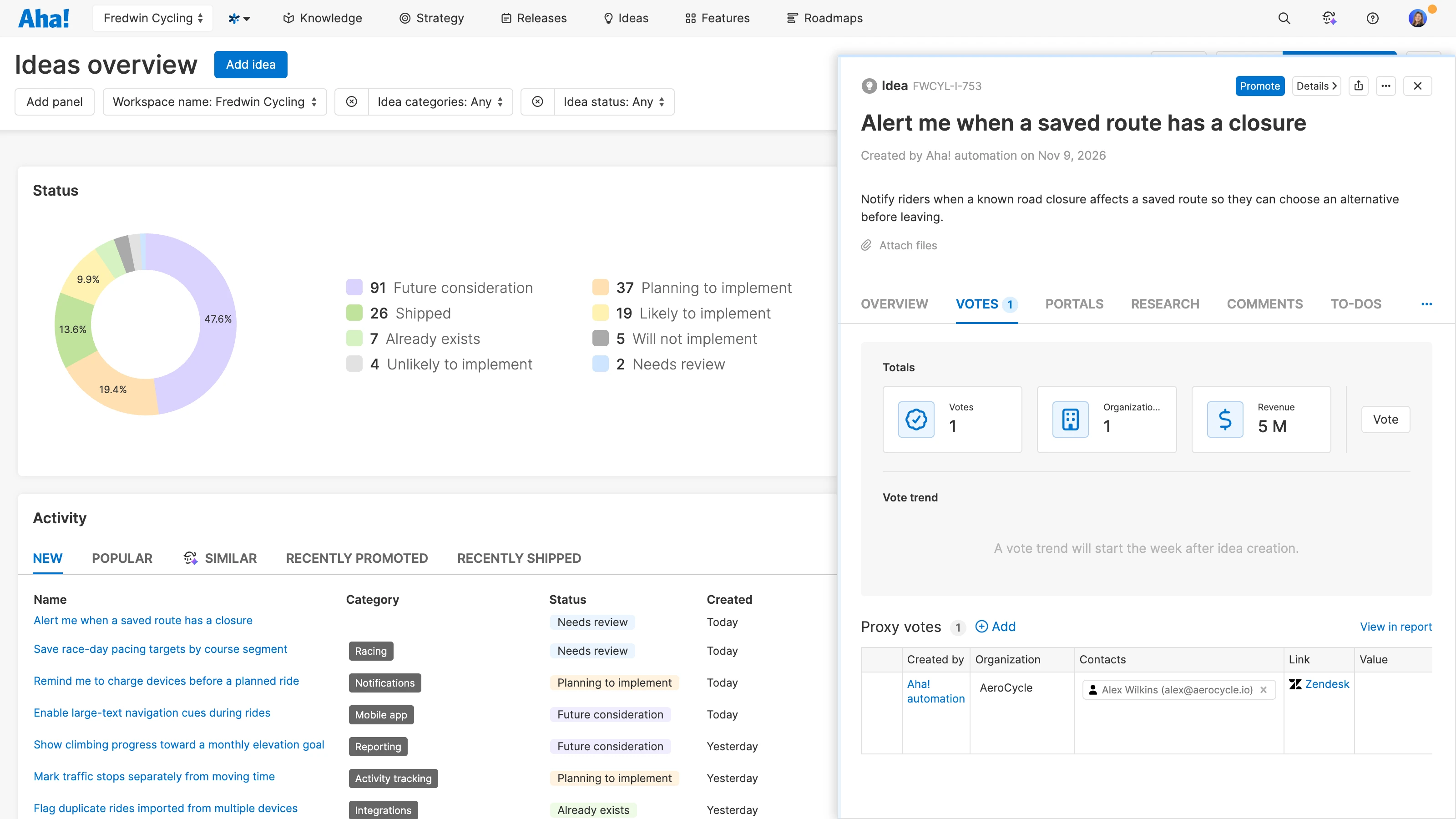
Automatically collect requests from tickets
Let support agents focus on resolving customer issues. Connect Zendesk listen once and use optional filters to select relevant tickets. The integration retrieves recent closed tickets each day, helping bring product needs into view without adding a feedback-submission step to your support workflow.
Understand the underlying context
Keep the customer's request grounded in the conversation that prompted it. Follow source links to the original Zendesk tickets to see the problems customers encountered and the workarounds they tried. That context helps you assess whether a proposed improvement addresses the underlying need.
Find patterns across support feedback
Look beyond individual tickets. Explore automatically captured requests together with portal ideas and feedback from other channels using AI-powered theme exploration. Investigate shared problems and weigh the evidence as your product team decides which improvements to prioritize.
The Zendesk listen integration is included in the Aha! Ideas Advanced plan — available as a standalone solution or as an upgrade to any Aha! Roadmaps plan. If you are not already an Aha! customer, sign up for a 30-day trial to try the integration for free. You can also enable a trial of Aha! Ideas Advanced in your existing Aha! Roadmaps account. The integration uses Aha! AI credits to analyze tickets.
In the workspace where you want to collect feedback, go to Settings Workspace Integrations and install Zendesk listen.
Give the integration a name and connect your Zendesk account.
Choose optional filters to focus on relevant tickets, then click Save and continue.
Once connected, the integration retrieves recent eligible tickets each day. Read our support documentation for more details. Or contact our Customer Success team at support@aha.io for help setting up your integration.
Zendesk is a customer experience software company that makes it easy for companies and customers to create connections. Its products power billions of conversations by simplifying the complexity of doing business and helping companies move fast and adapt to changing customer needs and expectations. The company was founded in Copenhagen, Denmark, in 2007, but was built and grown in San Francisco, California. If you need help with your Zendesk account, contact support@zendesk.com.


