
Integrate with Intercom listen
Automatically capture product feedback from Intercom tickets
Automatically identify product requests in support tickets
Your support team hears what customers need every day. Bring those requests into Aha! Roadmaps or Aha! Ideas without having to manually log each one. The integration retrieves tickets for Elle, the Aha! AI assistant, to analyze. Elle creates new ideas or adds proxy votes to existing ones — automatically giving you more customer feedback to inform your product plans.
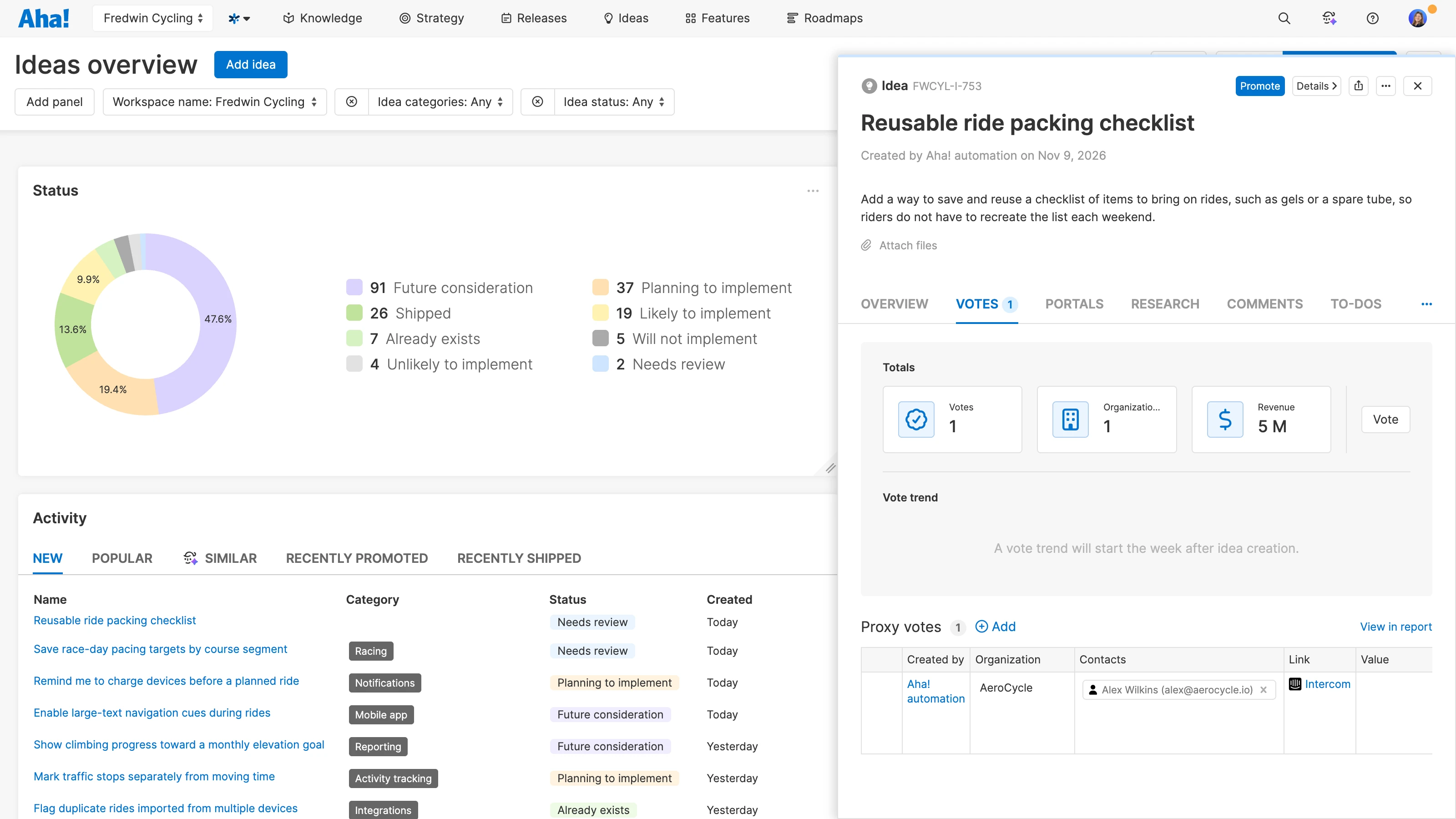
Capture product ideas automatically
Gather more customer feedback. Connect the integration once and use optional filters to focus on relevant tickets. Daily retrieval ensures you are listening to the feedback your support team receives — while letting them stay focused on helping customers.
Keep requests connected to context
Proxy votes on new and existing include source links that take you back to the original Intercom ticket — so you can understand the conversation behind the request. Use that context to clarify the customer’s underlying need, and evaluate how well a proposed solution would address it.
Explore customer feedback themes
Review automatically captured requests alongside ideas from your portal and other sources. Use AI-powered theme exploration to investigate recurring needs and inform your priorities. Elle helps gather the evidence; your product team decides what to build.
The Intercom listen integration is included in the Aha! Ideas Advanced plan — available as a standalone solution or as an upgrade to any Aha! Roadmaps plan. If you are not already an Aha! customer, sign up for a 30-day trial to try the integration for free. You can also enable a trial of Aha! Ideas Advanced in your existing Aha! Roadmaps account. The integration uses Aha! AI credits to analyze tickets.
In the workspace where you want to collect feedback, go to Settings Workspace Integrations and install Intercom listen.
Give the integration a name and connect your Intercom account through the authentication window.
Choose optional filters to focus on relevant tickets, then click Save and continue.
Read our support documentation for more details. Or contact our Customer Success team at support@aha.io for help setting up your integration.
Intercom is an AI-powered helpdesk for customer service teams. It brings an omnichannel inbox, ticketing, and a help center together with AI tools to help teams support their customers. Teams can use workflows to automate support processes and reporting to understand their service performance. For help with your Intercom account, contact Intercom through its Messenger or email team@intercom.com.
See more integrations
See all Aha! integrations
Zendesk listen
Automatically capture product feedback from Zendesk tickets
Learn more
Gong listen
Automatically capture product feedback from Gong calls
Learn more
Salesforce
Link customer opportunities and support cases directly to ideas
Learn more