Log product ideas from any webpage
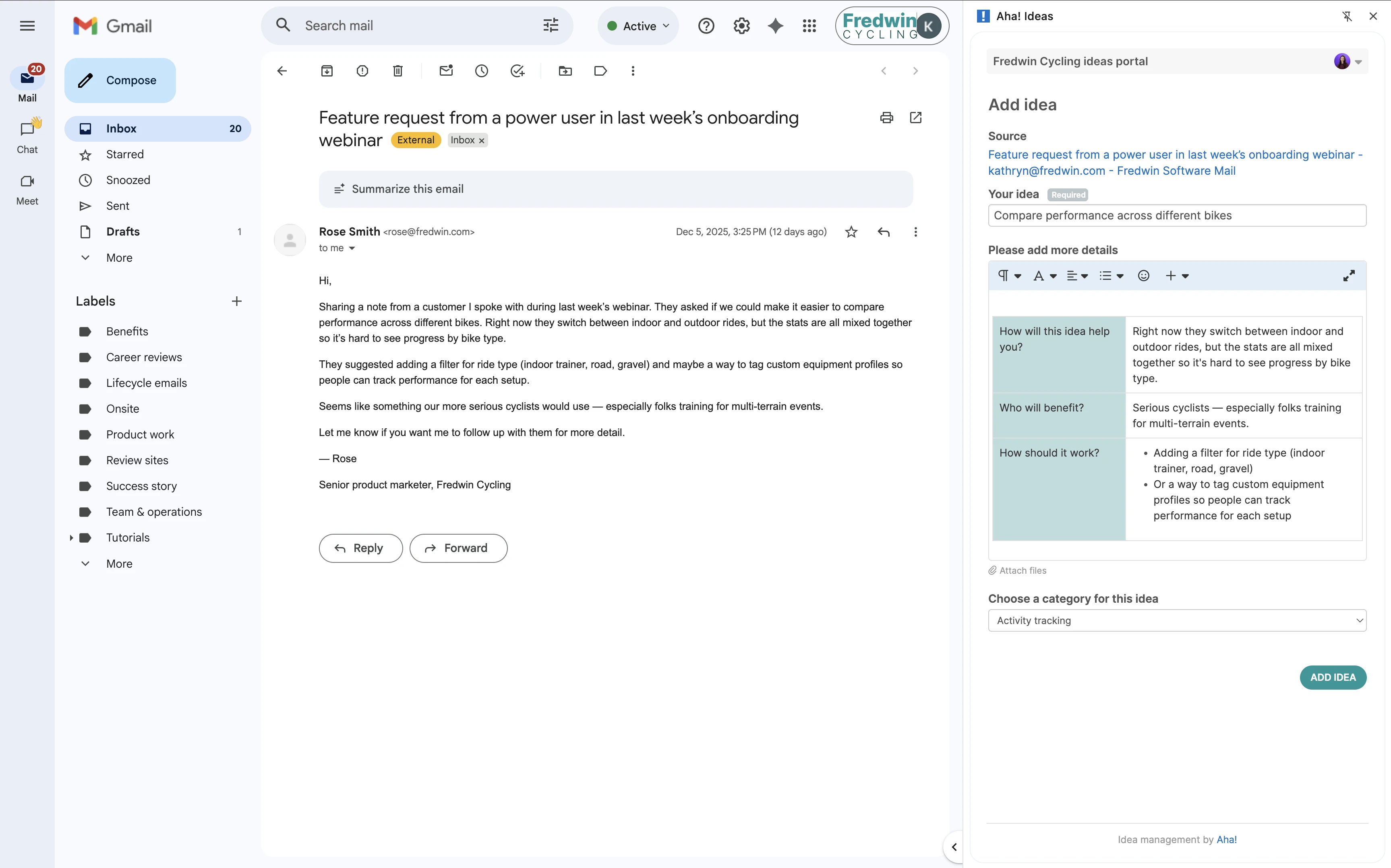
Install the Aha! Ideas Chrome extension to quickly add product suggestions from websites — without breaking your flow. Open the extension from your browser toolbar, capture key details including screenshots, and submit directly to your ideas portal. All that input flows into Aha! Ideas so you can review, prioritize, and act on it alongside other requests.
Centralize feedback from wherever you work
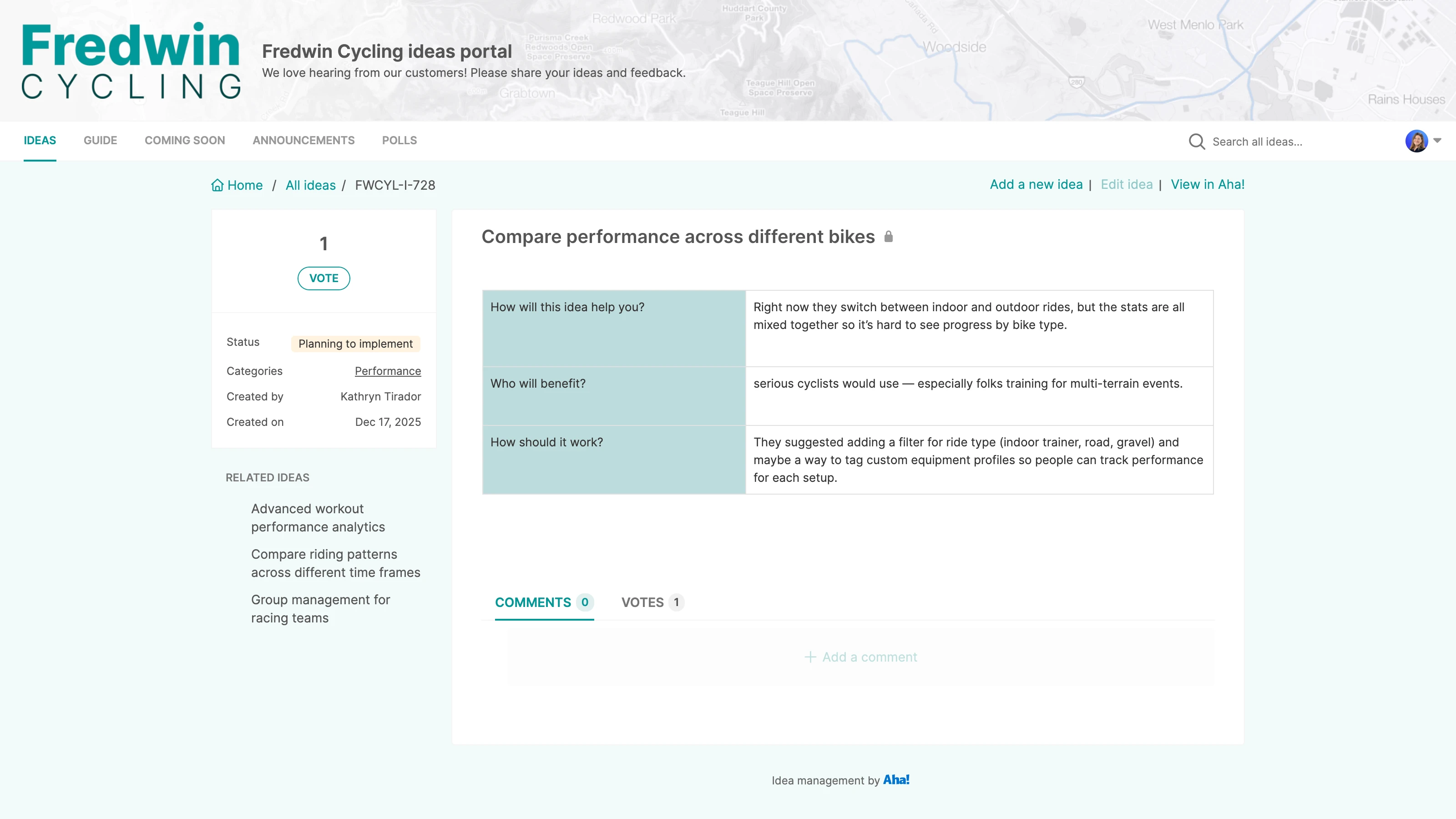
Product insights surface constantly — while you read a customer email, review a support ticket, or scan an industry article. Aha! Ideas already centralizes feedback from ideas portals and integrations with CRM tools like Salesforce and Zendesk. The Chrome extension is another source of input, making it easy to hold onto moments of inspiration that strike as you browse.
Capture rich context with every idea
The Chrome extension uses the same custom fields and submission form as your ideas portal, so feedback stays consistent. Add screenshots and a written description to provide as much detail as you want. The source page URL is included automatically, so the team has full context without searching for it. Every idea arrives ready for review and analysis — no manual cleanup required.
Build what customers really want
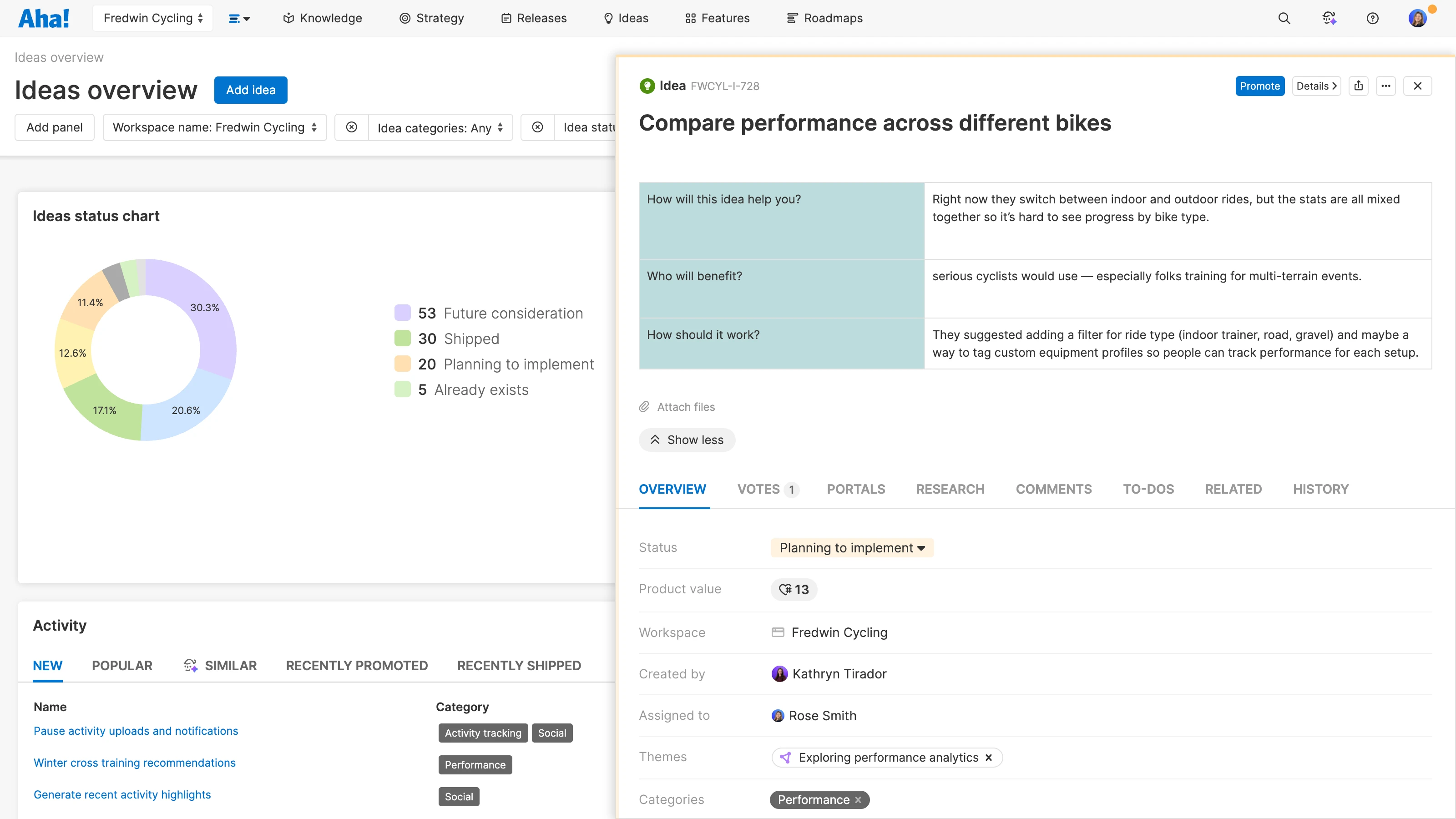
Ideas submitted through the extension instantly appear alongside feedback from other channels. Analyze all of your ideas in one place with a powerful AI assistant to spot recurring themes and identify opportunities that will drive revenue. Promote the best ideas to initiatives, epics, and features in Aha! Roadmaps.
How to integrate
The Chrome extension is now available for all Aha! Ideas customers, whether you are using Ideas Essentials as a standalone product or as part of Aha! Roadmaps.
Install the Aha! Ideas extension from the Chrome Web Store
Pin it to your browser's toolbar for easy access
Launch the extension on any webpage and enter your portal's URL to connect
Fill out the idea form — including text, screenshots, and any required fields
Submit to log the idea with a link back to the original page
Find detailed instructions and a video in our support documentation. Contact our Customer Success team at support@aha.io for help setting up your integration.
About Google Chrome
Google Chrome is a fast, secure, and widely used web browser developed by Google. It offers a powerful extension ecosystem that lets you customize your browsing experience and bring your favorite tools directly into your daily workflow.
If you need help managing your Chrome extensions or browser settings, visit the Chrome Web Store Help Center.