What this application does
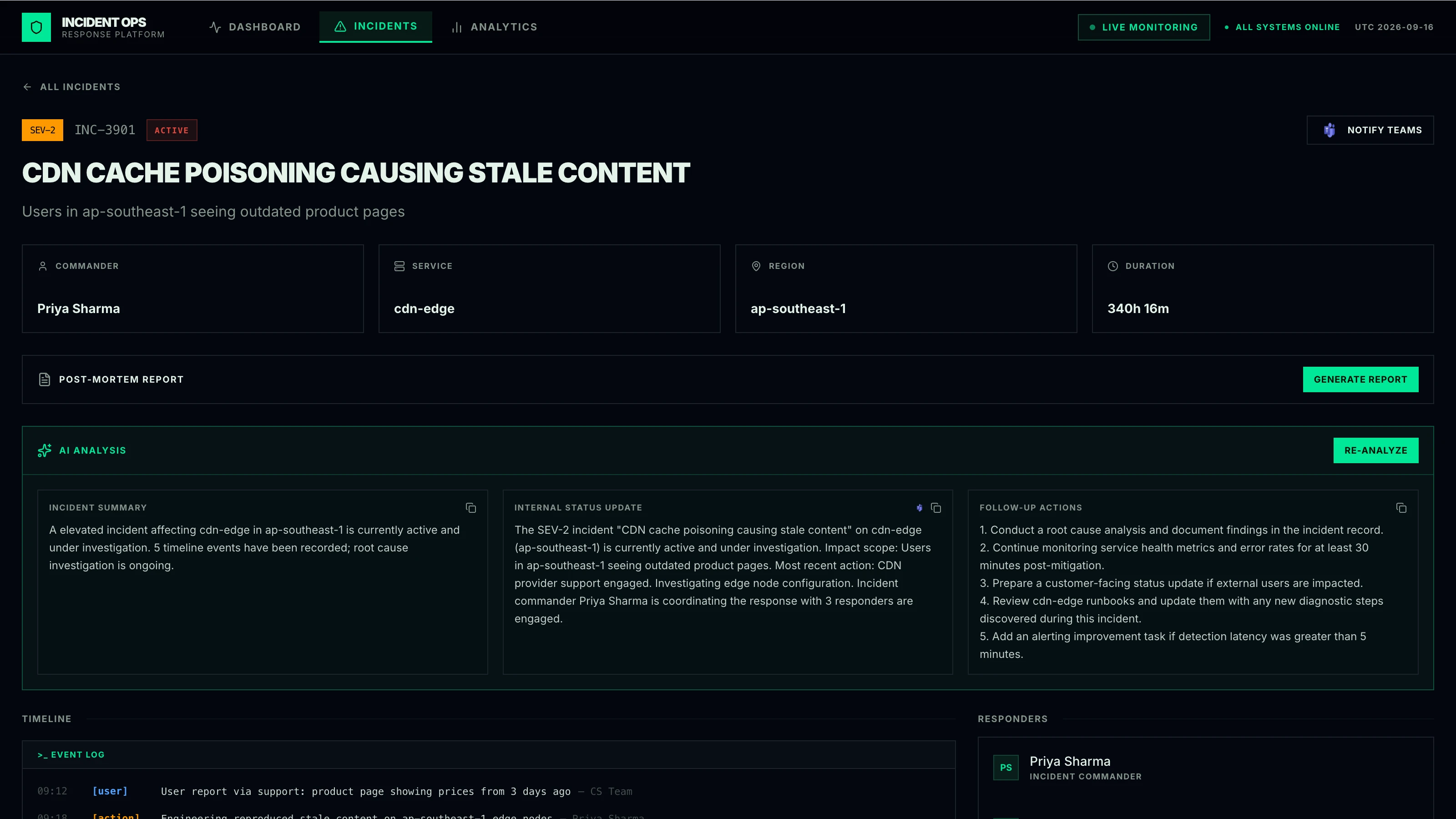
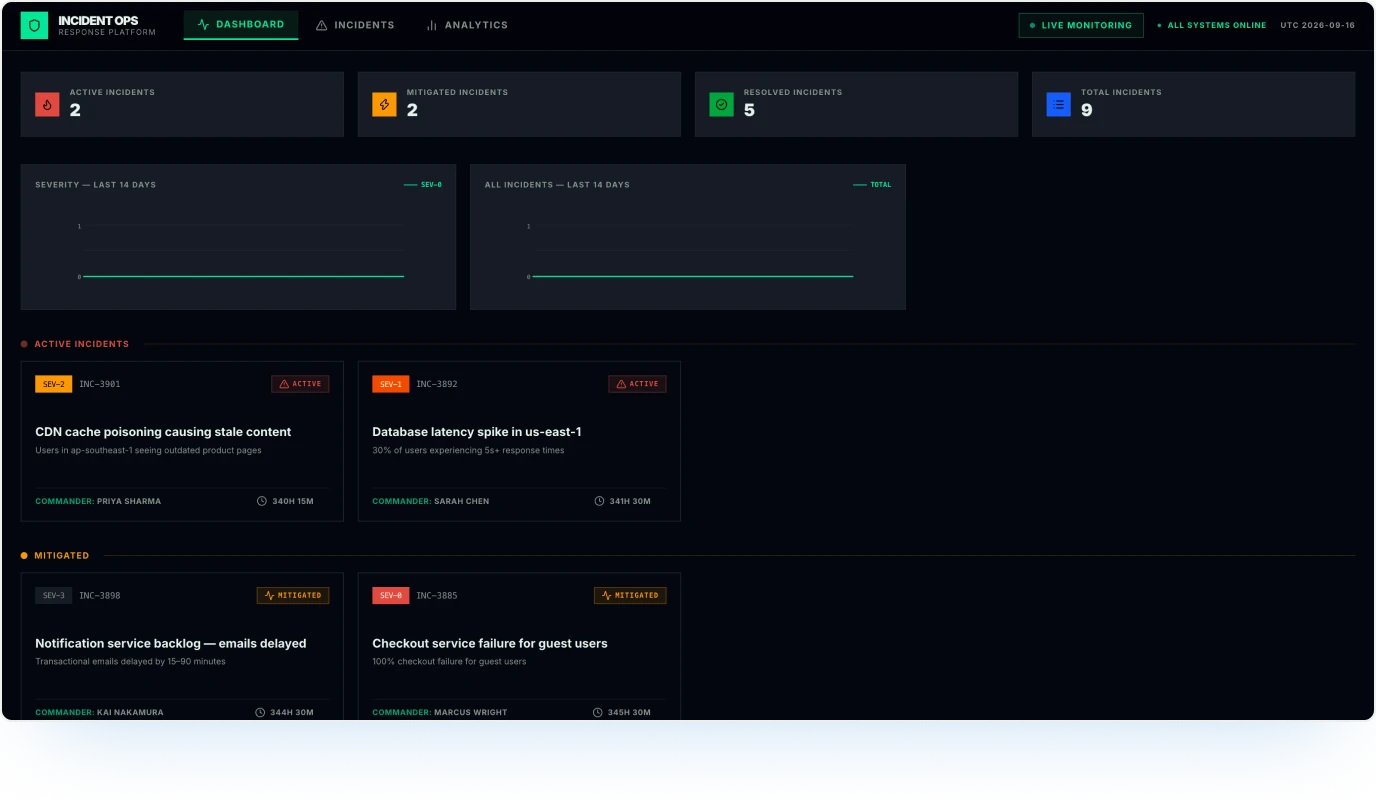
Build an incident response platform with Aha! Builder, an AI app builder for product teams. Give your on-call team one place to manage production incidents from initial triage through resolution. Log incidents, track severity and status, capture timeline updates and responder assignments, and generate AI-assisted summaries so teams can quickly understand what happened and what needs attention.
Explore the application to see how an incident dashboard, detailed incident records, AI-generated updates, and postmortem reporting can bring response work out of scattered conversations, runbooks, and status pages.
Preview of the application
What to explore
Click into any incident to view the full event timeline and responder details
Generate an AI-assisted incident summary, stakeholder update, and follow-up actions
Create a postmortem report and download or copy it for sharing
Filter and search the full incident list by status or keyword
Visit the analytics dashboard to review trends and severity breakdowns
Build your own application
Explore the example incident response platform
Open Aha! Builder and create a new application. (Existing Aha! customers can contact us to add Aha! Builder to their account.)
Answer the setup prompts. For example:
Describe your application. "An internal tool for managing production incidents, including severity levels, timeline updates, responder assignments, and AI-generated postmortem reports"
Who are you building for? "Engineering teams, site reliability engineers, and incident commanders who need a structured way to log, track, and resolve production outages"
What do you want the user experience to be? "A command center view where teams can see all active and past incidents at a glance, drill into any incident for full context, and use AI to generate summaries and postmortems without leaving the tool"
Review the first version Elle (the AI assistant in Aha! software) generates. Then, refine it with your team's workflows and terminology.
Test with real incidents and response workflows, then publish to production